Solved Can't use phones after import

Status
Not open for further replies.

c.holloway

Gold Partner
Joined
Oct 24, 2014
Messages
102
Reaction score
6
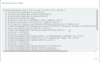
Good afternoon! I'm setting up a new v 15.5 3CX system for a client and i'm having issues after importing users, extensions, and phones via a csv file. The import works just fine but after importing I can no longer manage the extensions or phones. When attempting to edit an extension I get an XML parsing error that is in the attached screenshot. Has anyone run into this before?
 

Attachments

  • 2017-10-16 14_52_28-3CX Phone System Management Console.png
    2017-10-16 14_52_28-3CX Phone System Management Console.png
    44.4 KB · Views: 17
Hello @c.holloway

Does your csv file have double quotes on any of the values by any chance? For example value ProvType=""0"" where it should be ProvType="0"
 
YiannisH,

It does not. I have found that I can do the import so long as I leave the phone options field blank. However, if I do this I then have to go to each phone and set up codec and time format preferences and I'd rather it all just be right after the import. Here is the text of my phone options field

<PhoneDevice ProvType="0" PhoneLanguage="English" XferType="BXfer" RingTone="Ring 1" DateFormat="WWW MMM DD (Mon Jan 15)" TimeFormat="24-hour clock" PowerLed="Both (Voicemail and Missed calls)" Backlight="30 seconds"><DynamicOptions /><CodecsPriority><Codec Priority="1" PriorityVarName="codec1" DisplayText="PCMU" PayloadTypeName="payload1" payload="PCMU">0</Codec><Codec Priority="2" PriorityVarName="codec2" DisplayText="PCMA" PayloadTypeName="payload2" payload="PCMA">8</Codec><Codec Priority="3" PriorityVarName="codec3" DisplayText="G722" PayloadTypeName="payload3" payload="G722">9</Codec><Codec Priority="4" PriorityVarName="codec4" DisplayText="G729" PayloadTypeName="payload4" payload="G729">18</Codec></CodecsPriority><BLFS OwnBlfs="0" /></PhoneDevice>
 
Can you send me your CSV file in a private message so i can check and see what is wrong? You can upload it to a web transferring service and provide me with the download link
 
BTW, I also get the same thing. It seems that whenever a phone is provisioned, when exported, the XML is stored improperly in the CSV, which causes issues upon importing. YiannisH_3CX, I'll send you my CSV via pm as well.
 
@SeanCTS

Please try the file i sent you and let me know if that works for you.
 
Im getting a similar issue when ever i provision phones with an import even if i create a extension in 3cx console, export it. Delete the extension from the console. And import the single extension I have just exported it throws this error. When trying to edit the extension. This is version 15.5

Are you aware of any issues that could cause this and any possible resolution
 
looks like it may be an issue with the phone settings string. remove this and i can edit the phone. here's the string the export provides.

<PhoneDevice ProvType="0" PhoneLanguage="English" XferType="BXfer" RingTone="Ring 1" DateFormat="WWW MMM DD (Mon Jan 15)" TimeFormat="24-hour clock" PowerLed="Both (Voicemail and Missed calls)" Backlight="30 seconds" ScreenSaver="30 seconds"><DynamicOptions><option name="vlanwanport" value="False" /><option name="vlanwanid" value="1" /><option name="vlanwanpriority" value="0" /><option name="vlanpcport" value="False" /><option name="vlanpcid" value="1" /><option name="vlanpcpriority" value="0" /></DynamicOptions><CodecsPriority><Codec Priority="1" PriorityVarName="codec1" DisplayText="PCMU" PayloadTypeName="payload1" payload="PCMU">0</Codec><Codec Priority="2" PriorityVarName="codec2" DisplayText="PCMA" PayloadTypeName="payload2" payload="PCMA">8</Codec><Codec Priority="3" PriorityVarName="codec3" DisplayText="G722" PayloadTypeName="payload3" payload="G722">9</Codec><Codec Priority="4" PriorityVarName="codec4" DisplayText="G729" PayloadTypeName="payload4" payload="G729">18</Codec></CodecsPriority><BLFS OwnBlfs="0" /></PhoneDevice>
 
Hello @RyanOpus

Edit the .csv file with a simple file editor like notepad++ and check if the values have double " that might not appear in excel. If so then delete them leaving only single " and try again.
 
Thank you for the response but receive the same error
 
found the issue had also put " on either end of the string
 
That is correct, you the beginning and end of the string do not require ". Glad the issue is resolved
 
Status
Not open for further replies.

Forum statistics

Threads
111,878
Messages
589,526
Members
164,729
Latest member
Depo Dore