


- Joined
- May 18, 2019
- Messages
- 49
- Reaction score
- 25
I am trying to initiate outbound calls from a JSON response gotten from an endpoint.
I have split the process into two flows as follows:
1. The first flow calls the Webservice which returns a json response. The flow has a C# component that writes a .csv file to the system. The C# code used is shown below (i am using the output from the webservice as input parameter (jsonInput):
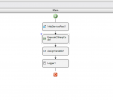
2. A 2nd flow will read the .csv file and proceed with the Autodialer as normal.
The issue is with the first flow as it fails when i compile and upload to 3CX with multiple syntax errors.
Will appreciate a second look at this from anyone please.
Thank you.
I have split the process into two flows as follows:
1. The first flow calls the Webservice which returns a json response. The flow has a C# component that writes a .csv file to the system. The C# code used is shown below (i am using the output from the webservice as input parameter (jsonInput):
using Newtonsoft.Json;
using System;
using System.Collections.Generic;
using System.IO;
public class Program
{
public string Main(string jsonInput)
{
// Parse JSON array
List<string> numbers = JsonConvert.DeserializeObject<List<string>>(jsonInput);
// Generate unique CSV file path with date and time
string dateTimeString = DateTime.Now.ToString("yyyyMMdd_HHmmss");
string csvFilePath = $"numbers_{dateTimeString}.csv";
// Write to CSV file
WriteToCsv(numbers, csvFilePath);
// Return the CSV file path
return csvFilePath;
}
private void WriteToCsv(List<string> data, string filePath)
{
// Write data to CSV file
using (StreamWriter writer = new StreamWriter(filePath))
{
foreach (string item in data)
{
writer.WriteLine(item);
}
}
}
}
2. A 2nd flow will read the .csv file and proceed with the Autodialer as normal.
The issue is with the first flow as it fails when i compile and upload to 3CX with multiple syntax errors.
Will appreciate a second look at this from anyone please.
Thank you.


