- Joined
- Jul 23, 2020
- Messages
- 6
- Reaction score
- 1
hello everyone, new here. Big thanks to 3cx gave me a great chance during the covid WFH, you guys not only save my busiess but also push my business to a new level.
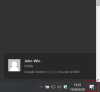
I am wondering if there is anyway to get chrome notification without install the chrome extension?
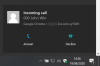
I don't like the extension open a small windows on my desk and driving me back and forward with the standard web client tab.
I don't like the way i teach my staff say, dial phone on here and chat over there ... things like that.. i don't have money to hire super smart people.
these 2 windows idea is a bit drive me crazy.
But on the other hand, i love the oringal web client, great design and UX, everything in one place.. soooo good, this is the first tab i open everyday. facing this tab, i have a feeling that all communication of my company is on my control.
SO, i decided to delete the extension, and wow, my world back to normal. The only downside is the notification won't work anymore and sometimes i miss chat message my team sent to me. (and i think they do the same)
why 3cx just develope an extension base on oringal web client with chrome notification. (On focus and click to call is nice to have, btw) I think we really don't need that small pop up dailer with no special functions and always hiding behind all windows.
Talking about a pop up windows, the webmeeting should be the one to use pop up. Many times I open the adhod room, i copy the link, neutally I will click chat to send to my team or group. Well, you know, instantly I left the room and have to create it again.
I am using samsung tab while i am not in office. the andriod tablet doesn't have extension anyway. please consider to do the best on webclient, train us with only one interface. simple is the best.
I am wondering if there is anyway to get chrome notification without install the chrome extension?
I don't like the extension open a small windows on my desk and driving me back and forward with the standard web client tab.
I don't like the way i teach my staff say, dial phone on here and chat over there ... things like that.. i don't have money to hire super smart people.
these 2 windows idea is a bit drive me crazy.
But on the other hand, i love the oringal web client, great design and UX, everything in one place.. soooo good, this is the first tab i open everyday. facing this tab, i have a feeling that all communication of my company is on my control.
SO, i decided to delete the extension, and wow, my world back to normal. The only downside is the notification won't work anymore and sometimes i miss chat message my team sent to me. (and i think they do the same)
why 3cx just develope an extension base on oringal web client with chrome notification. (On focus and click to call is nice to have, btw) I think we really don't need that small pop up dailer with no special functions and always hiding behind all windows.
Talking about a pop up windows, the webmeeting should be the one to use pop up. Many times I open the adhod room, i copy the link, neutally I will click chat to send to my team or group. Well, you know, instantly I left the room and have to create it again.
I am using samsung tab while i am not in office. the andriod tablet doesn't have extension anyway. please consider to do the best on webclient, train us with only one interface. simple is the best.