Click2Talk feature with Call Que not working

Status
Not open for further replies.

pbomboy

Free User
Joined
Aug 17, 2021
Messages
64
Reaction score
7
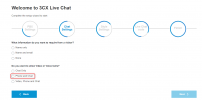
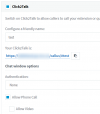
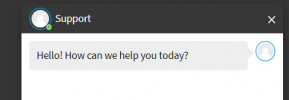
I have setup a que group, added agents. Calls ring to the agents. I setup Click to call and enabled phone call. The user only sees an option to chat. No phone icon. This feature works fine with individual users, but I can't get in to work with queues. I'm on V18
1632320650254.png

1632320419221.png
 
Hi @pbomboy,

Are you using the Wordpress Live Chat or the HTML generator?

Is the chat set up to allow escalation to audio calls as well?

Is the agent taking the chat?
 
I assume the HTML Generator. I did not install anything, this is an Amazon LightSail Build.
I am not sure how to allow escalation to audio calls. I selected the option for Allow Phone call like I did with an individual user.
Make no difference if agent connect and chats or not.
My end goal is to setup a link to a call que for each department. I really do not need chat, just the click to call a que extension, or ring group.
 
No I am not using the live chat feature. I was using the Click2Talk/Click2Meet tab on the Call Qes group.
It says not software required, just a browser. Am I missing something. It works perfectly with individual users.
 
Hi @pbomboy,

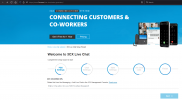
How did you integrate the chat to your website?

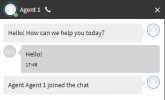
If you have an agent in the queue "take" the chat, the icon will appear to start an audio call.

1632322268207.png
 
I see. If I setup live chat instead.. Can I create a call only Icon so a client call the que or a ring group? Or this there a better way
 
Hi @pbomboy,

There is no way to call the call queue straight from a chat that no agent has taken. The agent must take the chat in the Web Client / Windows Client / Desktop App and only then will the call feature become available.
 
Is is available under users click2talk without joining the chat conversation. I assumed they worked the same.
 
I see. If I setup live chat instead.. Can I create a call only Icon so a client call the que or a ring group? Or this there a better way
This can be done, but only if you integrate it with your website using the HTML Generator or Wordpress Live Chat Plugin.

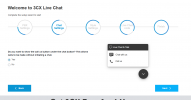
There you can select "Phone only" and on your website it will appear like this:
1632387404939.png

By pressing this button, it will ring the Queue (or whatever you have configured it to) just like if you had called the Queue from another extension.
 
When I select the option for the HTML code generator it takes me back to the original page that has no links for the generator. Do you have the correct url?
 
Status
Not open for further replies.

Forum statistics

Threads
112,149
Messages
590,965
Members
165,171
Latest member
Mahlon