- Joined
- Mar 2, 2021
- Messages
- 23
- Reaction score
- 5
I've setup Click2Talk on my extension for testing. For my test I simply used the URL for my Click2Talk and using an external device (Not on our internal network) pasted the link into Chrome.
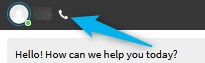
The test does let me Chat but I thought 'Click2Talk' was voice and not chat. And the setup page in 3CX console says 'Switch on Click2Talk to allow callers to call your extension or queue directly.....'
So why will it not place a call and only goes to chat? Do I need to place the link on a website with some additional code? We are NOT on a WordPress website.
The video on YouTube shows customer visiting website and clicking on button and a VOICE call is sent to 3cx agent.
How do I configure this to work?
Thanks in advance for any suggestions.
The test does let me Chat but I thought 'Click2Talk' was voice and not chat. And the setup page in 3CX console says 'Switch on Click2Talk to allow callers to call your extension or queue directly.....'
So why will it not place a call and only goes to chat? Do I need to place the link on a website with some additional code? We are NOT on a WordPress website.
The video on YouTube shows customer visiting website and clicking on button and a VOICE call is sent to 3cx agent.
How do I configure this to work?
Thanks in advance for any suggestions.