Solved Conference API

Status
Not open for further replies.

Next-Tech

Free User
Joined
Mar 25, 2022
Messages
7
Reaction score
1
Hello everyone,

I try to integrate the api key in my wbesite so it can create meetings from the admin portal.
So i try to set up the POST/sheduled but the api give me an error. In the documentation they say that we should send the body raw.
And that's where he give the error. Is their someone who can help me with this?

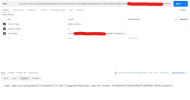
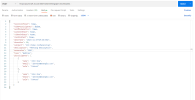
This is what i send:
1666187068464.png

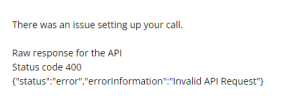
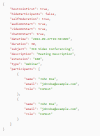
And this is the response:
1666187022166.png
 
  • Like
Reactions: Evolute IT
No, i just copy/paste the example you have on that page.
It's not really clear where i can generate my own command.
 
The documentation page can generate the code for you. Just select the language you're going to use in the top bar and you'll see the example code ready to copy/paste.
Of course you have to put your own PBX FQDN (replace 3cx.contoso.com:443 with yours) and the API Key (replace "Settings - Conference - Video - API Key" with yours).

Be sure to adjust dates so they're in the future, you can't create a meeting in the past.

Which language you selected? For example if I choose "Curl" I get this.

Bash:
curl --location --request POST 'https://3cx.contoso.com:443/webmeeting/api/v1/scheduled' \
--header 'Content-Type: application/json' \
--header '3CX-ApiKey: Settings - Conference - Video - API Key' \
--header 'Content-Length: 0' \
--data-raw '{
    "hostJoinFirst": true,
    "hideParticipants": false,
    "selfModeration": true,
    "audioOnStart": true,
    "videoOnStart": true,
    "chatOnStart": true,
    "dateTime": "2022-09-27T19:30:00Z",
    "duration": 30,
    "subject": "3CX Video Conferencing",
    "description": "Meeting Description",
    "extension": "100",
    "type": "Webinar",
    "participants": [
        {
            "name": "John Doe",
            "email": "[email protected]",
            "role": "CoHost"
        },
        {
            "name": "John Doe",
            "email": "[email protected]",
            "role": "CoHost"
        }
    ]
}'
 
Once you put your PBX and API key, you can execute this command line from a linux box with curl installed.

I suggest to use Postman to create the requests so you can easily understand the structure.
 
Yes, this is what we did indeed. But we still get an error. So i guess their is still some wrong information.
I put the date already on a later date.

1666257552970.png

1666257565907.png
 
Content-Type, Content-Length and 3CX-ApiKey are headers, not query parameters.
Please read carefully the documentation, first line says:
"All requests to this API require the API key "3CX-ApiKey" in the header"

Configure only one header for the request: 3CX-ApiKey. The others are added by Postman.

In postman you're sending raw request as "text". It's wrong. You should choose "application/json"
 
  • Like
Reactions: Evolute IT
Thank you so much for all these information.
But i still do something wrong i guess. I made all the changes you said but still got an error.
Do you know what i should change?

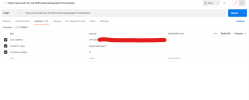
Here you can see the headers:
1666467501850.png


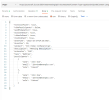
Here you can see the body that i send as raw but i put it as JSON:
1666467552968.png
 
Could you try removing this newline from the end of your request URL?
1666468220864.png
This will cause an error like 400 Bad Request.
 
Could you try removing this newline from the end of your request URL?
View attachment 32486
This will cause an error like 400 Bad Request.

Oh yes it worked! So stupid that it was just this simple.
Thank you so much for your help.
 
  • Like
Reactions: pangel
Status
Not open for further replies.

Latest Posts

Members Online Now

Forum statistics

Threads
111,844
Messages
589,330
Members
164,680
Latest member
JV J