Configure Fanvil phones for TLS and RTP

Status
Not open for further replies.

grovesjon

Free User
Joined
Jan 24, 2021
Messages
5
Reaction score
0
I am trying to follow the provided article, I am looking to set up my phone on port 5061for TLS but I cant seem to figure out the steps to do that. where are the directions for Fanvil phones for setting up encryption?
 
Hello,

While 3CX provides the ability to use TLS, we do not provide any support on it - you have to set it up yourself. Since you already know that you need to use port 5061 so you are on the right track, but you will have to look up Fanvil's documentation for more information on the subject.

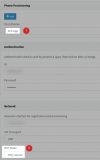
As for SRTP enforcement, enable it under the extension exactly as you see below:
1647502462804.png
The audio will fail if you don't also enable it in your IP phone.
 
when i look at the provisioning profile in the Fanvil phone I don't see either of those options when configured locally? is is what you are saying that it all has to be configured on the phone?
 
Hi,

Yes exactly, it all has to be configured on the phone based on the phone documentation.

On the 3CX end you just need to know the correct port (5061), and set the SRTP like I showed you above.
 
what is confusing me is you showed the 3cx app? I don't see similar settings on the provisioning for the phone unless I used a different option than local?. both stun or SBC have those options but not local?
 
Its not enough to enable SRTP on your IP Phone. You have to enable SRTP on the extension level (on our SIP server basically) before any IP phone can use it.

And the way you do it is exactly as shown above, select the 3CX app, set RTP to Only Secure, press OK to save an now the specific extension will be able to use SRTP on as many endpoints as you want to connect to it.
 
Status
Not open for further replies.

Members Online Now

Forum statistics

Threads
111,835
Messages
589,289
Members
164,665
Latest member
dominik.pepel