Configuring (old) Patton SN4552 and SN4634

Status
Not open for further replies.

yetopen

Customer
Joined
Jul 18, 2019
Messages
110
Reaction score
14
Hi.
I'm going to replace two old asterisk boxes attached to ISDN lines bridged to VoIP via some old Patton boxes. They're currently working with Asterisk, but when configured on 3CX I was able to call outside with the 4552 but not receive, and totally no action on the 4634.
Both devices are logged in to 3CX as I see the trunks up, but when trying to dial in I wasn't able to see anything in logs.
For the failed outgoing calls I was getting 503 from Patton.

I see at least the 4552 is still supported by 3CX but with firmware 6.x, mine has 4.2 and I cannot find an up to date version on Patton website. I mailed them, I hope I get the file.

When I switched PBX I just changed the authentication information in Telephony > SIP > MY_GW > service, and removed existing credentials. And in fact it was registering to 3CX.

The 4634 has a different config: on the PBX I have two trunks with different logins! When switching I tried using the same SIP Gateway for both channels, but maybe this was a mistake. I didn't have the chance to test further, I had to rollback.

So I was wondering if anyone has an idea why inbound calls were not forwarded to 3CX.
If someone is still running these devices maybe can help me in getting them in shape.

Thanks
 
Hi,

Question number one is have you regenerated the configuration file for the Patton from 3CX or have you kept the Asterisk configuration file on it (feel free to send the configuration file to me).

The SN 455x range are not on the supported list by 3CX and are EOL from Patton now

Supported VoIP Gateways https://www.3cx.com/voip-gateways/
Patton EOL link seen on this page: https://www.patton.com/products/product_detail.asp?id=385

You can create generic BRI configuration for the device as per: https://www.3cx.com/voip-gateways/smartnode-isdn/ the good thing is that these models are on this guide.

If you have done this run the following (separately 1 for an inbound call/1 for an outbound call) login to the Patton via CLI and run the following commands below (starting with debug):

debug sip-signaling full-detail
debug sip-transport full-detail
debug isdn-signaling full-detail
debug bri full-detail
debug cr full-detail
debug cc full-detail

no debug all
to stop the trace.

Replicate the error for inbound call (then cut and paste onto a notepad file for analysis).
Replicate the error for an outbound call (and do the same).

Reference: https://www.3cx.com/docs/patton-isdn-debugging/
https://www.patton.com/support/kb_art.asp?art=446&p=128
 
Thank you very much for your feedback.

Question number one is have you regenerated the configuration file for the Patton from 3CX or have you kept the Asterisk configuration file on it (feel free to send the configuration file to me).
No, since my Pattons are not supported I kept the Asterisk config.
I will send you the current config via PM. Thanks

You can create generic BRI configuration for the device as per: https://www.3cx.com/voip-gateways/smartnode-isdn/ the good thing is that these models are on this guide.
The 4552 is supported but there's a bold statement requiring firmware 6.x, the one installed on my device is much older.

Thanks for the links I will read them and try with debug to see what's going on.
 
The 4552 is supported

By Patton perhaps but 3CX support I would say is doubtful since the models do not exist on the 3CX officially supported list I posted above - with that being said there is a template which should work with the model since the BRI templates are generic.

These models do have a EOL notice on Patton also so firmware will probably at some point cease also.

With that being said, I am sure I can fix this for you, if you can PM over the config and traces I will take a look, but I would suggest running the configuration file from 3CX.
 
With that being said, I am sure I can fix this for you, if you can PM over the config and traces I will take a look, but I would suggest running the configuration file from 3CX.
I am fearful that would brick the Patton, due to the prehistoric firmware.

4552 is listed in the supported ISDN BRI 3CX page ;)

I've PM'd you the configs, I'll try to gather the traces in the next days. Thanks
 
4552 is listed in the supported ISDN BRI 3CX page ;)

Which is what I meant when I said there was some confusion, however the Smartware based BRI models (which is the OS these models run) fell off the master page a year or so ago https://www.3cx.com/voip-gateways/ only the 4131 remains which is Trinity based.

Regarding firmware your units are on very old versions, in fact for the 455x model they dont even list the firmware anymore - https://www.patton.com/support/upgrades/index.asp?um=SmartNode 4830 Series (you have 4.2 and 6.11 is now listed for this model.

I will take a look at your config files posted, but did you run the debug logging on in/outbound calls also ?

Not that it is an ideal time (since I doubt you can get to site at the moment) but I have never known a Patton "bricked" and I have worked with a lot of units however I do agree due to outdated firmware and changes in configuration file and 3CX version local access is probably best for making any changes if on a live site.

What version of 3CX are you running along-side these ?
 
I haven't collected the debug logs yet, I have to find a timespan with the customer first as they're currently using them with old PBX.

Good to know that nothing fatal can happen on the devices, but yet I need local presence in case of a failing config. I see if I can move there or have support from someone physically close.

I'm using the latest 3CX, fully updated. v16 U4.
 
Good to know that nothing fatal can happen on the devices

Yes they are really solid units, obviously everything fails eventually however I have worked with Patton for around 12 years and know of units in place and working from when I started.

I am going to make a comparison of your config and respond back - if you can look into the debug logging it would be appreciated.
 
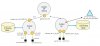
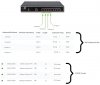
So ive looked over your configuration for the 4552 and there are a few discrepancies that I can see (I assume this is a configuration from scratch and not generated from Patton) I have created the attached diagram to outline what I can see.

What I dont see is a bind from the context CS, to the context SIP GW, or a Location service (which at least in the pre-configured template 3CX provides).

I can see your authentication settings (I assume again that the gateway registers Green to 3CX?) although the wording does not say, this should be configured in the authentication services area.

The Patton is acting as a DHCP server on network 192.168.1.0 Class C subnet as well and the WAN interface is configured for 10.0.0.4 on a class C subnet but not bound. Ensure your DHCP server is not clashing with any others on your network also.

I think that re-generating a configuration from 3CX would be an obvious next step or ask Patton to generate one for you with their configuration Wizards. I do see a lot of things out of place with the config however this could be a difference between PBX vendor brands, however the 3CX generated looks a lot cleaner and the ability to see the settings a lot clearer.
 

Attachments

  • Untitled.jpg
    Untitled.jpg
    53.3 KB · Views: 2
Maybe I didn't correctly explain, this is the config currently working with the actual Asterisk servers.

When I changed auth and linked them to 3CX yes, the Trunk were shown as green/available. My tests have been postponed to tomorrow, so I'll be able to collect debug only then.

About network I've noticed there's a misconfiguration: one is correctly on the LAN while the other is connected to the WAN interface. The one with active DHCP is disconnected.

Thanks for your help.
 
I managed to get some debug info but on the SN4634. To recall it has two SIP profiles, one on 5060 and one on 5062. I created a second gateway on 3CX with this last port and I managed to make outgoing calls through it, not via 5060. I obfuscated my mobile phone with mycellnumber, and I found another number which probably slipped in during tests.

My device didn't have all the debug options you required (old firmware?), I hope I figured out the appropriate ones on this:
Code:
debug call-control
debug ccisdn signaling
debug ccisdn error
debug ccisdn datapath
debug call-control
debug call-router
debug rip
debug rtm
debug gateway sip signaling
debug gateway sip error
debug gateway sip registration
debug gateway sip transport
debug gateway sip datapath

Unfortunately I'm not able to post here all the debug data as it's >1000 lines. It's available here.

So I suspect 5060 profile is not working at all, I'll try to dig into the old server logs.

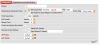
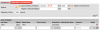
This is the Patton config of auth against 3CX
Schermata 2020-04-07 alle 17.17.32.png
Schermata 2020-04-07 alle 17.17.08.png
 
Last edited:
I've collected some debug of an incoming call with the current working config with FreePBX server. It's available here. Weird thing I see a lot of 403 auth failed here as well. And it seems ASTERISK profile is not used here anyway.
About auth I tried changing the Patton 5062 trunk on 3CX to be without auth (IP based) and removing the Users To Register data, but wasn't working anyway.

On the current FreePBX I see:
Code:
[2020-04-07 17:41:14] NOTICE[2281] chan_sip.c: Registration from '1002 <sip:[email protected]>' failed for '10.0.0.5:5062' - Peer is not supposed to register
[2020-04-07 17:41:14] ERROR[2281] chan_sip.c: Peer '1001' is trying to register, but not configured as host=dynamic
[2020-04-07 17:41:14] NOTICE[2281] chan_sip.c: Registration from '1001 <sip:[email protected]>' failed for '10.0.0.5:5060' - Peer is not supposed to register
[2020-04-07 17:41:14] ERROR[2281] chan_sip.c: Peer '1002' is trying to register, but not configured as host=dynamic
 
Last edited:
I found a 4552 config here on the forum and has this statement in auth I don't find in my current config. But I also found no option to indicate realm in my interface

Code:
authentication-service AS_ALL_LINES
  realm 1 3CXPhoneSystem
  username 10001 password 9O/xBIoyZrGbJ7g9V0x0Pw== encrypted
 
Maybe I didn't correctly explain, this is the config currently working with the actual Asterisk servers.

OK so my suggestion would be to re-provision the gateway with 3CX as per the above link (keeping a backup of the original template just in case) then you may need to amend the template manually. As already mentioned you could ask Patton for assistance they can often create a template for you via the template Wizard they are now offering: https://www.patton.com/wizard/

To recall it has two SIP profiles, one on 5060 and one on 5062.

You may need to explain your requirement here - why the 2 VoIP profiles with 2 different ports.

This reminds me of an issue I had with 3CX a few weeks ago - I was setting up an SN4131 8 port BRI gateway with 3CX and splitting the lines between departments in a company (attached example)

3CX would only accept registrations from a single port 5060 so in short the Patton configuration required the Gateway interfaces with (in my case):

* GW interfaces - increment 5060, 5062,5063,5064 etc (I skipped 5061 as this is often secure SIP).
* Only 1 registration outbound address (on 5060).
* SIP interfaces 0-3 (I was only using 4 of the ports in this case) with 5060 on each.

If you increment on the SIP interfaces 3CX throws up an error in Wireshark in response to your REGISTER request.

My device didn't have all the debug options you required (old firmware?)

Possibly, however I dont recall Patton ever not having these (but I cant say this 100%) the commands for Smartware can be found here: https://www.patton.com/support/kb_art.asp?art=446&p=128

The error you are getting on the failing call as far as I can see is:

NO AUTHENTICATION ENTRY FOUND FOR REALM '3CXPhoneSystem', USER 'mycellnumber'
Username and password for realm '3CXPhoneSystem' not available.
407 Proxy Authentication Required


This is an authentication failure (or details not even present).
As you may already be aware

* The initial call/INVITE is sent without user credentials.
* A response is sent back to the Patton from 3CX of 407 Proxy Authentication Required (The request requires user authentication details).
* A secondary INVITE is sent with these credentials and the call process progresses.

You will see this most likely if you run Wireshark, either way however this secondary account (at least from what I can see) does not exist on 3CX to authenticate with.
 

Attachments

  • SPLIT_Patton.jpg
    SPLIT_Patton.jpg
    116.1 KB · Views: 5
The Patton trunk is configured this way on the FPBX:

Code:
username=1001
type=friend
secret=1234
insecure=very
host=10.0.0.5
context=from-pstn

and from what I can see in the debug it doesn't require authentication. Can I do the same in 3CX? I tried setting auth to IP based but the password field is still required.

About the last message what I don't get (and maybe it's just my lack of understanding) is why the Patton tries to auth against 3CX with the caller number as username.
 
and from what I can see in the debug it doesn't require authentication

This is what I dont have the ability to see on your config - but I can say that as standard for Patton gateways and 3CX Register/Account based is selected for the default template in the SIP trunks section.

There are other options obviously as you have discovered.

why the Patton tries to auth against 3CX with the caller number as username.

If using the Authentication method of register based and a standard 3CX template the device should be trying to authenticate with the uniquely allocated trunk ID of username 10001 (as what I can see in your configuration send so far).
 
This is what I dont have the ability to see on your config

What do you mean? That theoretically it should authenticate (per config) but it isn't?


I made some more tests. I possibly found how to add the realm to the current config (Domain option in the first screen here), but even with that I fail to understand what's wrong. Patton debug here. Now the missing auth credentials is gone, but even if the gateway authenticates to 3CX it seems (to me) that the server is not accepting it, but I see no evidence of this.
What I missed in previous log is that the second cell number is not really that but the trunk main number without leading 0. I suppose this is handled by 3CX as this info is not in Patton config.

I captured a call with tcpdump, but my knowledge of the sip protocol is unfortunately not enough to understand it. The obfuscated number is the trunk one.

Schermata 2020-04-11 alle 17.37.36.png

Thanks again
 
What do you mean? That theoretically it should authenticate (per config) but it isn't?

What I mean is with the standard 3CX supported/written template it uses Registration based authentication so should register using username and password.

This does not strictly mean other methods wont work - for example see here for an IP authenticated setup with a Cisco CUCM: https://www.patton.com/support/kb_art.asp?art=117&
 
End of the saga. 4552 has been replaced by a 4120, 4634 upgraded to a more recent SN version (6.9) worked with 3CX config.

Thanks again for your help!
 
Status
Not open for further replies.

Latest Posts

Forum statistics

Threads
111,945
Messages
589,867
Members
164,836
Latest member
saranga