Configuring Time Server & 3CX Phone Book on SPA303

Status
Not open for further replies.

noddy184

Joined
Aug 16, 2012
Messages
22
Reaction score
2
Hi There

First time poster.

I have followed the user guide to sucessfully (manually) provision a CISCO SPA303 to 3CX PBX.

It registers with the PBX and can dial other extensions all ok.

However cannot work out:

1) how to get the SPA303 to sync the time correctly with 3CX PBX and
2) how to get 3CX company address book to come up on the SPA303 in the menu and
3) how to get the caller's ID and information to appear on the SPA303. Eg a person who is called "fred" in the company phonebook calls and on the SPA303 only Fred's phone number appears, not "FRED"... like it would on the 3CX Soft Phone Application.

From memory all these issued can be fixed by pointing the SPA303 to an XML file or something?

I haven't configured these, as don't know how to (screenshots attached)
Help please!!

Thanks
Noddy
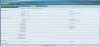
 

Attachments

  • spa303 screen 2.jpg
    spa303 screen 2.jpg
    248.2 KB · Views: 1,601
Am uncertain if page structure is same between SPA3XX and SPA5XX series, but look for Phone and then XML settings. There should be a setting for "XML Directory Service URL which should read:"http://192.168.0.11:5000/provisioning/cisco_phonebook.xml". Just substitute your local 3CX server private IP where I have 192.168.0.11. There is also a "XML Directory Service Name" entry where you should fill in the with the text name of what you want the directory to be called when viewing in the display.

for time, goto the "System" tab of the phone and look for "optional network configuration". You should see setting for NTP enable, set to "yes" and then settings for primary and secondary NTP server settings. You merely need to enter in "pool.ntp.org" into one and maybe "time.windows.com" in the other. Of course you can use an IP or other nameed server if you have a preference.

As far as caller-ID, I will have to check into.
 
lneblett, you are a legend. :D

Have got the 3CX Phonebook working on the SPA303 using your instructions.

Regarding the NTP, I couldn't find anything in the system tab on the web interface of the SPA303 to do with 'optional network configuration' or 'NTP enable'- all i can see is a spot to put the ntp server details in on the 'system' screen, which i have done (have put au.pool.ntp.org). However the phone does not update the correct time. I know you can manually set the time on the phone itself but would prefer not to do it this way.

Any further ideas about this and the caller id issue anyone?
 
noddy184 said:
i can see is a spot to put the ntp server details in on the 'system' screen, which i have done (have put au.pool.ntp.org). However the phone does not update the correct time.

The phones network settings have to allow it to reach your gateway and DNS servers. There should also be an option to set your timezone, perhaps under Regional.

Caller name normally, just works. I take it the name is datafilled in the 3CX extension information.
 
Did you enable or set ntp enable to yes?
 
Hi Guys, time issue now solved...

Last step of the puzzle was to go : REGIONAL Tab - MISCELLANEOUS- TIME ZONE.
(which i set to mine which is GMT+10 - it was defaulting to -8 ). Rebooted and phone now displays correct time.

:)

Now last thing is I need to work out how to get CALLER ID from the 3cx Company Phonebook to work on the SPA303?

I just added my mobile to the Company Address book on the PBX. When I call in, my 3CX softphone shows my name and phone number correctly whilst the SPA303 still only shows the number? (However I can find my entry when searching through the phonebook on the SPA303)
 
Status
Not open for further replies.

Forum statistics

Threads
111,848
Messages
589,349
Members
164,682
Latest member
donjerrymandelsone@gmail.