- Joined
- May 19, 2019
- Messages
- 3
- Reaction score
- 0
We updated to V18 last week and ever since, 3CX is not creating call journal records upon calls.
I have tried the following:
1) Re-created the integration from scratch
2) Set it to add a new note, rather than activity
I've noted the following:
1) Contact creation is working
2) Number lookup is working
3) I can see in the ConnectWise logs a GET request is sent to CW when a call is answered to query the contact lookup so I know my authentication is working.
4) It looks like 3CX is not sending a POST request at the end of the call to create the activity.
5) ConnectWise V2021.2 (cloud hosted) and 3CX V18 Build 1880
6) CRM integrations say "Up To Date"
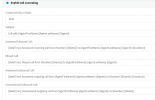
7) We have setup custom fields on the activity. For example subject is: "[CallType] [Contact::FullName] [Number] ([Duration])"
I have tried the following:
1) Re-created the integration from scratch
2) Set it to add a new note, rather than activity
I've noted the following:
1) Contact creation is working
2) Number lookup is working
3) I can see in the ConnectWise logs a GET request is sent to CW when a call is answered to query the contact lookup so I know my authentication is working.
4) It looks like 3CX is not sending a POST request at the end of the call to create the activity.
5) ConnectWise V2021.2 (cloud hosted) and 3CX V18 Build 1880
6) CRM integrations say "Up To Date"
7) We have setup custom fields on the activity. For example subject is: "[CallType] [Contact::FullName] [Number] ([Duration])"