Contacts - searching for companies

Status
Not open for further replies.

Sommer

Customer
Intermediate Cert.
Joined
Oct 20, 2017
Messages
35
Reaction score
5
Hello there.

We've got a customer who likes to search for the company name in the contacts and then pick one contact out of it.
But this doesn't work with every company.

For example -
3 contacts, all have their company written in the company field - when typing the company name in the contact-search bar it shows the 3 contacts. This is how it should work with every contact/company, but it doesn't. And I can't find why.

I've tried it at different 3CX installations and it's the same at every one. V15.5


Im thankful for any explanation.

Note : I just found out that this only applies to the webclient...
 
Last edited:
I just tried this with a few entries in the Phonebook using the WebClient and it seems to work fine for me. You mentioned what doesn't happen, but could you also mention what does come back as results?

When you type something in the search, it tries to find matches against all fields, first name, last name and company. This means that if you have 3 contacts, e.g.:
  1. Name: Internet Guy A
    Company: Random ISP A

  2. Name: Internet Guy B
    Company: Random ISP B

  3. Name: Nick
    Company: Internet Service Provider
And you search for the keyword "internet", all 3 will come up as results. If you type "ISP", only 1 and 2 should come up, and if you type "Internet Service Provider" only 3 should come up.
 
It is like you describe it in the 3CX client. But not in the webclient.

Some example contacts:
  1. Company: Alpha Bank
    Phone: 0123456788

  2. Name: Random Guy 1
    Company: Alpha Different GmbH

  3. Name: Random Guy 2
    Company: Alpha Different GmbH
Now if I look for "Alpha" in the Webclient, only the company Alpha Bank will show up. In the 3CX Client I will see all 3 contacts.
This doesn't apply to all contacts tough, for some companies it works totally fine... (Checked the writing multiple times - no typos involved)


Best regards
 
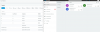
I tried the contacts you said on a test system (don't know if they were real examples) but they seems to show up correctly:
upload_2017-10-20_12-39-24.png

Just to see if it's something with the specific installation or not, you cold try exporting the Contacts from the installation in question and loading them into a temp installation you may have, then use a WebClient there to see if you get the same result for the same lookup values.
 
Thanks to the screenshot I now know what went wrong.
I just searched in the wrong field... I used the field next to the number keypad. I guess there you only find contacts that you already called?

Thank you very much for your support. As it is often, the problem sits 30cm in front of the keyboard... ;)
 
I guess there you only find contacts that you already called?
Actually I believe that this menu should also show it. I will look into this and if needs be report it to the devs.

I will lock the thread as a solution was found.
 
Status
Not open for further replies.

Forum statistics

Threads
111,878
Messages
589,521
Members
164,727
Latest member
VPJ