Solved Copy Meeting Link Grayed Out

Status
Not open for further replies.

neville

Gold Partner
Advanced Certified
Joined
Apr 23, 2012
Messages
291
Reaction score
62
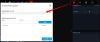
On one of the systems I manage, the copy meeting link is grayed out when starting a webmeeting. If I schedule a meeting and join the meeting, the link works.
 
Hi @neville

Can you give a detailed, step by step way of how you start the meeting?
 
When I am in my webclient, I click WebMeeting and log in to start the meeting. The link is always greyed out. I have tried this on multiple machines, from both the latest version or Chrome and the new Microsoft Edge.
 
If you click the Invite Participants icon, can you get a link there?
1585832507657.png
 
If you first create a meeting, then go to it and add a user, the link is there and you can copy it. If you do not create a meeting, but log in to WebMeeting in the web client, there is no link when adding a user.

meet.jpg
 
  • Like
Reactions: Evolute IT
If you first create a meeting, then go to it and add a user, the link is there and you can copy it. If you do not create a meeting, but log in to WebMeeting in the web client, there is no link when adding a user.

View attachment 15287
I experience the same.
 
If you enable the parameter "Requires you to connect to meeting first " , Everything will be as JohnS_3CX said.
 
Paurus, this was the answer. Thanks and be safe.

Chuck
 
  • Like
Reactions: Evolute IT
Status
Not open for further replies.

Forum statistics

Threads
111,973
Messages
590,077
Members
164,896
Latest member
sameage