Solved Creating your system - Wait a few minutes

Status
Not open for further replies.

bvanasten

Bronze Partner
Basic Certified
Joined
Jun 7, 2022
Messages
9
Reaction score
1
Hello:

I tried creating a hosted system on 3cx's website and I'm receiving the following message:

Creating your system

Wait a few moments

After waiting over two separately while using Microsoft Edge and Mozilla browsers, one I refreshed and it took me back to the creation page and the second time I just closed it.

How do I get this resolved and get the new system created?

thanks

Brian
 
Hello Brian,

Please note that you need to complete the information correctly while feeling up the registration form in order for the system to decide where is going to host your PBX. Please check that those information are completed correctly.
Also note that if you have select lets say USA as Country you need to specify the State.

Regarding the Browser can you please also try with Google Chrome?

Thank you.
 
Jumping into the conversation,

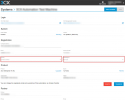
The installation will be terminated if you refresh or close the page while deploying your 3CX system. Now as @StavrosA_3CX mentioned, you need to make sure that the state of your country is defined if available.


1654577626731.png


Don't forget to save the changes by pressing the 'SAVE' button.

To ensure sure that your new attempt to deploy your 3CX system will be successful, try clearing your browser cache data as well.

Let us know if you're facing any further issues :)
 
@bvanasten can you pm me please to schedule a TeamViewer session ?
I want to see this live.
 
Hi Nikos,

The system appears to be all setup with the correct settings. Do you want me to post the Teamviewer information for you?

Edited by a moderator: screenshot removed as it contained sensitive information
 
Last edited by a moderator:
@bvanasten I wanted to see what the issue was this time when it happened and if you could replicate it again.
Also I would use Chrome to be honest in order to eliminate some other factors from other browsers.
But I am glad that now all is ok and it works for you.
If you have any further issues let us know and we can check it on the fly !!
Enjoy !!
 
Nikos,

It still doesn't work. What am I supposed to do?

I meant in my previous post that the system information appears to be correct - showing Andreas that I included the country and state information.

Can we do a remote session? If so, what time works for you? I'm in CST.

thanks

Brian
 
@bvanasten sorry you mentioned above " The system appears to be all setup with the correct settings " and i inderstood that all is ok now.
PM me with Teamviewer credentials please and i will connect to your PC.
 
Hi Nikos,

Can we change the name of that hosted system we finished creating from Gene Gruber to Customer Cabinets, Inc.? I didn't notice that when we walked through the installation and it's not Gene Gruber, but instead Custom Cabinets, Inc. I tried to edit the name, but I can't.

Also, if you want to delete the Custom Cabinets, from my profile, that would be great. That is the failed one I tried to install.

Thanks again for assisting me in getting the host up and running.

Please let me know if you have any questions.

thanks

Brian
 
@bvanasten you cant change the name of the Company as StartUP key was created and this can not be updated on the fly.
Key must be deleted, and then re-created.

As for the issue we saw on our remote session yesterday for Custom Cabinets,, we applied a fix so please try again now with the same key of the customer and let me know please.
 
Hi Nikos,

Sounds good. Can I use any browser or should I use Chrome? Also, is Chrome the best browser for 3cx?

thanks

Brian
 
@bvanasten i would highly recommend to use chrome :)
 
Hi Nikos,

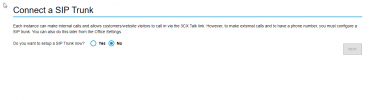
Now when I try to install Custom Cabinet Company, I, when I select the SIP Trunk question (Do you want to setup a SIP Trunk now?) and I select No, the Next button is greyed out.

Do you know why that is the case? I selected Install with Chrome. Should I try the install with Mozilla or should we just delete this host, delete the Gene Gruber host and delete Custom Cabinet Company as a registered customer and start over?

Please let me know how you would like to proceed and if you have any questions.

thanks

Brian
 
@bvanasten let go back to PM please, i want to see it live
 
Hi Nikos,

Can we do a remote session tomorrow to work on this? The NEXT button is still greyed out and I can't do anything.

Do you think it would be easier to just delete that instance and the Gene Gruber instance so I can start over from scratch?

1655298663435.png
 
@bvanasten yes please, as mentioned above PM me please.
 
Hi Nikos,

Sounds good. Give me a couple hours and I will PM you the username/password.

thanks

Brian
 
Hi Nikos,

After working with our partner rep, we were able to get those instances deleted so you can close this case.

Thank you very much for all your work in troubleshooting and getting this done for us.

Brian
 
  • Like
Reactions: NikosT_3CX
Status
Not open for further replies.

Forum statistics

Threads
111,974
Messages
590,083
Members
164,900
Latest member
Silent_Guru