- Joined
- Feb 15, 2021
- Messages
- 5
- Reaction score
- 1
Hello everybody.
We setup a 3CX server-side integration with Dynamics 365 online but the "click-to-call" feature of the browser extension does not work properly.
We enabled the "convert phone numbers on website/crm to clickable links" option in the extenion's options but we are experiencing issues with the latest version of Dynamics 365 online, based on the new "Unified Interface" of the CRM:
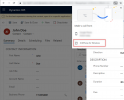
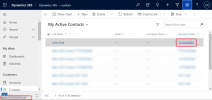
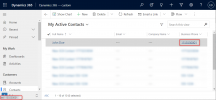
1) when the user is browsing a CRM view (a list of records), clicking on a phone number actually open the 3CX web client but then the user is redirected to https://[crmdomain].crm4.dynamics.com/[clicked_number] getting a 404 from the CRM web server. I think this is because in views the new Dynamics 365 version embeds phone numbers into a <a> html tag and the 3CX is changing the href attribute.
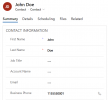
2) when the user is seeing a CRM form (the detail of a single record), clicking on a phone number does NOT triggers any action. I think this is because in forms the new Dynamics 365 version embed the phone number into an <input> tag that is not replaced by the 3CX browser extension.
Our client is evaluating 3CX for his CRM telephone integration but these problem are pushing him away from this solution.
As I said I think this wasn't a problem with previous versions of Dynamics 365 so I'm not sure the developers are aware of the issue. Please note that very soon all instances of Dynamics 365 online will be automatically updated to the latest version from Microsoft so the problem could became a lot bigger very soon.
I'm here if you need more technical details or information.
Thank you
We setup a 3CX server-side integration with Dynamics 365 online but the "click-to-call" feature of the browser extension does not work properly.
We enabled the "convert phone numbers on website/crm to clickable links" option in the extenion's options but we are experiencing issues with the latest version of Dynamics 365 online, based on the new "Unified Interface" of the CRM:
1) when the user is browsing a CRM view (a list of records), clicking on a phone number actually open the 3CX web client but then the user is redirected to https://[crmdomain].crm4.dynamics.com/[clicked_number] getting a 404 from the CRM web server. I think this is because in views the new Dynamics 365 version embeds phone numbers into a <a> html tag and the 3CX is changing the href attribute.
2) when the user is seeing a CRM form (the detail of a single record), clicking on a phone number does NOT triggers any action. I think this is because in forms the new Dynamics 365 version embed the phone number into an <input> tag that is not replaced by the 3CX browser extension.
Our client is evaluating 3CX for his CRM telephone integration but these problem are pushing him away from this solution.
As I said I think this wasn't a problem with previous versions of Dynamics 365 so I'm not sure the developers are aware of the issue. Please note that very soon all instances of Dynamics 365 online will be automatically updated to the latest version from Microsoft so the problem could became a lot bigger very soon.
I'm here if you need more technical details or information.
Thank you