Crm Integration Template Description Question

Alle CTEC

Silver Partner
Joined
Sep 11, 2023
Messages
360
Reaction score
45
https://www.3cx.com/docs/crm-template-xml-description/

Hello everyone, referring to this page. I noticed that some example fields, HomeFax and CustomValue, aren't passed in lookups or searches. If I run the test, the API passes them correctly, but they don't appear in the results. However, the Title and Department fields, not mentioned in the documentation page, do appear.

I also have a problem in searching or creating the contact, on contacts with multiple numbers for example a contact with 3 numbers if I click edit number before the call 3CX shows me 3 identical numbers if I edit the contact the numbers are correctly entered, during the search phase I only see one number I am not shown more numbers or more contacts with the same name and different number

Always looking at the documentation page
EntityType - The type of the matched entity (contact, lead or account) which will be accessible during call and chat journaling

It's correct Account = Company, Contact = Person, Lead = Unknown?


Thank You
 
  • Like
Reactions: Evolute IT
Hello @Alle CTEC,

Hello everyone, referring to this page. I noticed that some example fields, HomeFax and CustomValue, aren't passed in lookups or searches. If I run the test, the API passes them correctly, but they don't appear in the results. However, the Title and Department fields, not mentioned in the documentation page, do appear.
I don't remember exactly, it's been a long time, but the Title and Department fields were added relatively recently, and instead of adding 2 new fields, there were 2 old fields normally unused that were replaced. I think the old fields where HomeFax and Pager, but I'm not sure about it. So the documentation might not be fully up to date on this one. Trust your tests for this.

I also have a problem in searching or creating the contact, on contacts with multiple numbers for example a contact with 3 numbers if I click edit number before the call 3CX shows me 3 identical numbers if I edit the contact the numbers are correctly entered, during the search phase I only see one number I am not shown more numbers or more contacts with the same name and different number
Not sure to understand what you explain here, maybe some screenshots will help?

Always looking at the documentation page
EntityType - The type of the matched entity (contact, lead or account) which will be accessible during call and chat journaling

It's correct Account = Company, Contact = Person, Lead = Unknown?
The EntityType can be whatever you want. 3CX usually uses Account, Contact and Lead, depending on the CRM, but you can use any other name there. Those are values which are passed from the contact lookup to the call journaling or chat journaling phase, so your template decides what to send in each case.
 
  • Like
Reactions: Evolute IT
Hello @Alle CTEC,


I don't remember exactly, it's been a long time, but the Title and Department fields were added relatively recently, and instead of adding 2 new fields, there were 2 old fields normally unused that were replaced. I think the old fields where HomeFax and Pager, but I'm not sure about it. So the documentation might not be fully up to date on this one. Trust your tests for this.


Not sure to understand what you explain here, maybe some screenshots will help?


The EntityType can be whatever you want. 3CX usually uses Account, Contact and Lead, depending on the CRM, but you can use any other name there. Those are values which are passed from the contact lookup to the call journaling or chat journaling phase, so your template decides what to send in each case.
1772445238177.png
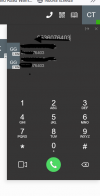
Here is the screenshot as you can see there are 2 numbers but they are shown identical even if 2 different numbers are entered during the creation of the lookup contact
 
View attachment 51128
Here is the screenshot as you can see there are 2 numbers but they are shown identical even if 2 different numbers are entered during the creation of the lookup contact
What happens if you search for that number directly in the CRM? Do you see 2 different contacts?
 
The query for phone number has been configured with SQL TOP option so it always responds with only one number, the contact is created correctly if I edit the contact created by lookupnumber there are 2 different numbers if I click edit the number before calling the same number appears twice
 
Please note that the method used to search for contacts from the Web Client is different than the method used for contact lookup by number. Are you sure you're returning only one contact in the SearchContacts scenarios?
 
  • Like
Reactions: Evolute IT
XML:
    <Scenario Id="SearchContacts" Type="REST" EntityId="" EntityOrder="">
      <Request SkipIf="" Url="http://3cxapi.xxxxx.xxx:8080/api/v2/crm/search?text=[SearchText]" MessagePasses="0" Message="" RequestContentType="" RequestEncoding="UrlEncoded" RequestType="Get" ResponseType="Json" />
      <Rules>
        <Rule Type="Any" Ethalon="">result.id</Rule>
      </Rules>
      <Variables>
        <Variable Name="ContactID" LookupValue="" Path="result.id">
          <Filter />
        </Variable>
        <Variable Name="FirstName" LookupValue="" Path="result.firstname">
          <Filter />
        </Variable>
        <Variable Name="LastName" LookupValue="" Path="result.lastname">
          <Filter />
        </Variable>
        <Variable Name="CompanyName" LookupValue="" Path="result.company">
          <Filter />
        </Variable>
        <Variable Name="Email" LookupValue="" Path="result.email">
          <Filter />
        </Variable>
        <Variable Name="PhoneBusiness" LookupValue="" Path="result.businessphone">
          <Filter />
        </Variable>
        <Variable Name="PhoneBusiness2" LookupValue="" Path="result.businessphone2">
          <Filter />
        </Variable>
        <Variable Name="PhoneMobile" LookupValue="" Path="result.mobilephone">
          <Filter />
        </Variable>
        <Variable Name="PhoneMobile2" LookupValue="" Path="result.mobilephone2">
          <Filter />
        </Variable>
        <Variable Name="CustomValue" LookupValue="" Path="result.customvalue">
          <Filter />
        </Variable>
        <Variable Name="ContactUrl" LookupValue="" Path="result.url">
          <Filter />
        </Variable>
        <Variable Name="PhoneHome" LookupValue="" Path="result.homephone">
          <Filter />
        </Variable>
        <Variable Name="PhoneHome2" LookupValue="" Path="result.homephone2">
          <Filter />
        </Variable>
        <Variable Name="PhoneOther" LookupValue="" Path="result.otherphone">
          <Filter />
        </Variable>
        <Variable Name="FaxBusiness" LookupValue="" Path="result.businessFax">
          <Filter />
        </Variable>
        <Variable Name="FaxHome" LookupValue="" Path="result.homeFax">
          <Filter />
        </Variable>
        <Variable Name="Pager" LookupValue="" Path="result.pager">
          <Filter />
        </Variable>
        <Variable Name="PhotoUrl" LookupValue="" Path="result.photourl">
          <Filter />
        </Variable>
        <Variable Name="EntityType" Path="result.entityType">
          <Filter />
        </Variable>
      </Variables>
      <Outputs AllowEmpty="true">
        <Output Type="ContactID" Passes="0" Value="[ContactID]" />
        <Output Type="FirstName" Passes="0" Value="[FirstName]" />
        <Output Type="LastName" Passes="0" Value="[LastName]" />
        <Output Type="CompanyName" Passes="0" Value="[CompanyName]" />
        <Output Type="Email" Passes="0" Value="[Email]" />
        <Output Type="PhoneBusiness" Passes="0" Value="[PhoneBusiness]" />
        <Output Type="PhoneBusiness2" Passes="0" Value="[PhoneBusiness2]" />
        <Output Type="PhoneMobile" Passes="0" Value="[PhoneMobile]" />
        <Output Type="PhoneMobile2" Passes="0" Value="[PhoneMobile2]" />
        <Output Type="CustomValue" Passes="0" Value="[CustomValue]" />
        <Output Type="ContactUrl" Passes="0" Value="[ContactUrl]" />
        <Output Type="EntityId" Passes="0" Value="[ContactID]" />
        <Output Type="EntityType" Passes="0" Value="[EntityType]" />
        <Output Type="PhoneHome" Passes="0" Value="[PhoneHome]" />
        <Output Type="PhoneHome2" Passes="0" Value="[PhoneHome2]" />
        <Output Type="PhoneOther" Passes="0" Value="[PhoneOther]" />
        <Output Type="FaxBusiness" Passes="0" Value="[FaxBusiness]" />
        <Output Type="FaxHome" Passes="0" Value="[FaxHome]" />
        <Output Type="Pager" Passes="0" Value="[Pager]" />
        <Output Type="PhotoUrl" Passes="0" Value="[PhotoUrl]" />
      </Outputs>
    </Scenario>
 
Last edited by a moderator:
XML:
    <Scenario Id="SearchContacts" Type="REST" EntityId="" EntityOrder="">
      <Request SkipIf="" Url="http://3cxapi.xxxxxx.xxx:8080/api/v2/crm/search?text=[SearchText]" MessagePasses="0" Message="" RequestContentType="" RequestEncoding="UrlEncoded" RequestType="Get" ResponseType="Json" />
      <Rules>
        <Rule Type="Any" Ethalon="">result.id</Rule>
      </Rules>
      <Variables>
        <Variable Name="ContactID" LookupValue="" Path="result.id">
          <Filter />
        </Variable>
        <Variable Name="FirstName" LookupValue="" Path="result.firstname">
          <Filter />
        </Variable>
        <Variable Name="LastName" LookupValue="" Path="result.lastname">
          <Filter />
        </Variable>
        <Variable Name="CompanyName" LookupValue="" Path="result.company">
          <Filter />
        </Variable>
        <Variable Name="Email" LookupValue="" Path="result.email">
          <Filter />
        </Variable>
        <Variable Name="PhoneBusiness" LookupValue="" Path="result.businessphone">
          <Filter />
        </Variable>
        <Variable Name="PhoneBusiness2" LookupValue="" Path="result.businessphone2">
          <Filter />
        </Variable>
        <Variable Name="PhoneMobile" LookupValue="" Path="result.mobilephone">
          <Filter />
        </Variable>
        <Variable Name="PhoneMobile2" LookupValue="" Path="result.mobilephone2">
          <Filter />
        </Variable>
        <Variable Name="CustomValue" LookupValue="" Path="result.customvalue">
          <Filter />
        </Variable>
        <Variable Name="ContactUrl" LookupValue="" Path="result.url">
          <Filter />
        </Variable>
        <Variable Name="PhoneHome" LookupValue="" Path="result.homephone">
          <Filter />
        </Variable>
        <Variable Name="PhoneHome2" LookupValue="" Path="result.homephone2">
          <Filter />
        </Variable>
        <Variable Name="PhoneOther" LookupValue="" Path="result.otherphone">
          <Filter />
        </Variable>
        <Variable Name="FaxBusiness" LookupValue="" Path="result.businessFax">
          <Filter />
        </Variable>
        <Variable Name="FaxHome" LookupValue="" Path="result.homeFax">
          <Filter />
        </Variable>
        <Variable Name="Pager" LookupValue="" Path="result.pager">
          <Filter />
        </Variable>
        <Variable Name="PhotoUrl" LookupValue="" Path="result.photourl">
          <Filter />
        </Variable>
        <Variable Name="EntityType" Path="result.entityType">
          <Filter />
        </Variable>
      </Variables>
      <Outputs AllowEmpty="true">
        <Output Type="ContactID" Passes="0" Value="[ContactID]" />
        <Output Type="FirstName" Passes="0" Value="[FirstName]" />
        <Output Type="LastName" Passes="0" Value="[LastName]" />
        <Output Type="CompanyName" Passes="0" Value="[CompanyName]" />
        <Output Type="Email" Passes="0" Value="[Email]" />
        <Output Type="PhoneBusiness" Passes="0" Value="[PhoneBusiness]" />
        <Output Type="PhoneBusiness2" Passes="0" Value="[PhoneBusiness2]" />
        <Output Type="PhoneMobile" Passes="0" Value="[PhoneMobile]" />
        <Output Type="PhoneMobile2" Passes="0" Value="[PhoneMobile2]" />
        <Output Type="CustomValue" Passes="0" Value="[CustomValue]" />
        <Output Type="ContactUrl" Passes="0" Value="[ContactUrl]" />
        <Output Type="EntityId" Passes="0" Value="[ContactID]" />
        <Output Type="EntityType" Passes="0" Value="[EntityType]" />
        <Output Type="PhoneHome" Passes="0" Value="[PhoneHome]" />
        <Output Type="PhoneHome2" Passes="0" Value="[PhoneHome2]" />
        <Output Type="PhoneOther" Passes="0" Value="[PhoneOther]" />
        <Output Type="FaxBusiness" Passes="0" Value="[FaxBusiness]" />
        <Output Type="FaxHome" Passes="0" Value="[FaxHome]" />
        <Output Type="Pager" Passes="0" Value="[Pager]" />
        <Output Type="PhotoUrl" Passes="0" Value="[PhotoUrl]" />
      </Outputs>
    </Scenario>
This scenario can output many records. You can check the 3cxManagementConsole.log file to see the responses, or maybe manually invoking this API and see the response.
 
1772557380487.png


1772557463286.png

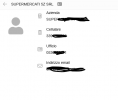
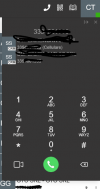
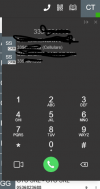
I took some screenshots for you so you can understand the problem.
 

Attachments

  • 1772557438231.png
    1772557438231.png
    23.3 KB · Views: 0