


- Joined
- Feb 14, 2022
- Messages
- 34
- Reaction score
- 13
Hey,
(Posted this in the wrong section so deleted and moved it here)
So, we use Crowdstrike Falcon Overwatch and about half an hour ago I had an alert come through (something which only happens a handful of times a year) telling me that the 3CX Desktop App has been attempting to communicate with a 'highly suspicious domain, likely to be actor controlled.' - msstorageboxes[.]com - I have looked this up and it appears to be owned by someone/something in Reykjavik.
https://intodns.com/msstorageboxes.com for more info.
I raised a ticket and have been told that I should do this through the portal at a cost of £75. This isn't something I am happy paying for, as the alert points to the 3CX Desktop App having the issue, NOT anything to do with our infrastructure. So, here's my forum post.... I've removed the desktop app and asked the user to access it via the webpage which works just as well, I think he is the only one with the full app installed anyway. What I want to know is, what was the app doing? Does 3CX recognise this domain?
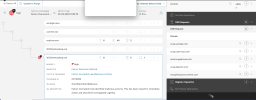
Full alert is -
(Posted this in the wrong section so deleted and moved it here)
So, we use Crowdstrike Falcon Overwatch and about half an hour ago I had an alert come through (something which only happens a handful of times a year) telling me that the 3CX Desktop App has been attempting to communicate with a 'highly suspicious domain, likely to be actor controlled.' - msstorageboxes[.]com - I have looked this up and it appears to be owned by someone/something in Reykjavik.
https://intodns.com/msstorageboxes.com for more info.
I raised a ticket and have been told that I should do this through the portal at a cost of £75. This isn't something I am happy paying for, as the alert points to the 3CX Desktop App having the issue, NOT anything to do with our infrastructure. So, here's my forum post.... I've removed the desktop app and asked the user to access it via the webpage which works just as well, I think he is the only one with the full app installed anyway. What I want to know is, what was the app doing? Does 3CX recognise this domain?
Full alert is -
Falcon OverWatch has observed connections to known malicious infrastructure by the 3CX Desktop App process on this host.
DNS : msstorageboxes[.]com
NOTE: Highly suspicious domain, likely actor controlled.
This has been raised for immediate action and should be investigated urgently.
Due to the identified activity in relation to the 3CX Desktop application, we would recommend removing this software from your environment, (both Windows and Mac) where applicable and if possible.


