Custom Reply-to / From Address for audio meetings?

Status
Not open for further replies.

nobody

Bronze Partner
Joined
Aug 15, 2017
Messages
500
Reaction score
57
It there a way to customize the Address?
The pbx sends as [email protected]. Makes sense for everything but invitations for an audio meeting.
Customer wants these mails to originate from his public contact address. Or, at minium the reply to address should be set to the custom address.
Also all attendants should see each others names in the invitation.

is there any way to do that besides sending manual invitations?
 
Hi

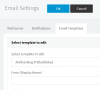
You can define a Display Name as below but only for certain templates:
12449

Or you can setup your own custom mail server rather than the 3CX SMTP and customize it to your own liking from there.
 
I am already using my own mailserver, but, the problem is the Mail from address. The pbx sends the same "mail from" for everything. Settings the pbx mail from address to the customers public contact address would be confusing for the system messages the pbx is sending.
 
Since the PBX only supports a single address, you will have to find a way to program the mail server to rewrite the email address when certain conditions are met. For example:

If From = [email protected] -> Then Replace it with [email protected]


This is more of a mail server matter than a PBX matter
 
I would have to rewrite the address based on the subject of the email. This is not a very safe action.
This is not a matter of the mailserver, but of the unflexible setup of the audio conferencing.
 
Last edited:
Well, you are asking that the system sends the email from a different account effectively, depending on whether its an invitation or notification. The system only supports a single account so clearly this is not possible. Hence, my suggestion to setup your own custom solution, since a custom solution is what you are asking for here effectively.

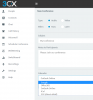
Yet, you still have options though, instead of using the SMTP for your invites you can use one of the other services available so you can show any email address you wish for the customer (there's flexibility here):

12450
 
An email account does not need to use only one from address, it only authenticates the client against the server. Wether or not the server allows you to set a different from email address is up to the mailservers admin. During the composition of the mail the client adds the from address or a reply-to address. Implementing an option to use a custom from-address would be very simple for 3cx developers. Another variable, one checkbox, thats it.

Using a different email provider (you cannot choose your own in this dialog, if you do it will again use the predefined address, and you cannot add another smtp server) for setting a different from address for the same domain makes no sense IMO.
 
I agree completely that an email account does not need to use only one from address, and the PBX can be bypassed altogether here so you can achieve your goal.

Hence if you dont user Google Mail, Office365, or Outlook which is one of the existing profiles in the picture above, then you (the meeting organizer) can always get the iCal event open in whatever mail client you wish, and then send it out to the recipient from any mail address they wish, be it your company's public address or your personal one. There really is no restriction at all using this method and you don't need a different provider or server-side modifications..
 
Status
Not open for further replies.

Latest Posts

Forum statistics

Threads
111,933
Messages
589,817
Members
164,810
Latest member
astrobalaji