Solved Dailer pops up every 5 Minutes

Status
Not open for further replies.

Sascha Kefferpütz

Gold Partner
Advanced Certified
Joined
Mar 11, 2021
Messages
7
Reaction score
2
Good morning, since the update to 18.08, the dailer pops up every 5 minutes in the desktop client....this is also recorded in the log:

[2023-08-23 06:20:20.590] [info] (dialer-ipc-hook) ipcMain on dialer [ 'show', true ]
[2023-08-23 06:25:20.427] [info] (dialer-ipc-hook) ipcMain on dialer [ 'show', true ]
[2023-08-23 06:35:22.594] [info] (dialer-ipc-hook) ipcMain on dialer [ 'show', true ]
[2023-08-23 06:50:23.426] [info] (dialer-ipc-hook) ipcMain on dialer [ 'show', true ]
[2023-08-23 06:55:22.361] [info] (dialer-ipc-hook) ipcMain on dialer [ 'show', true ]
[2023-08-23 07:00:22.370] [info] (dialer-ipc-hook) ipcMain on dialer [ 'show', true ]
[2023-08-23 07:05:23.385] [info] (dialer-ipc-hook) ipcMain on dialer [ 'show', true ]
[2023-08-23 07:10:22.336] [info] (dialer-ipc-hook) ipcMain on dialer [ 'show', true ]
[2023-08-23 07:15:22.392] [info] (dialer-ipc-hook) ipcMain on dialer [ 'show', true ]

does anyone have an idea what it is?
 
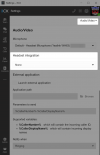
FWIW, I'm not seeing that. Do you have "Pickup [sic] incoming calls automatically" checked? (in Audio/Video)
 
FWIW, I'm not seeing that. Do you have "Pickup [sic] incoming calls automatically" checked? (in Audio/Video)
Yes, but it makes no difference
 
Hi Sascha,

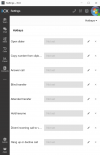
Do you perhaps have any headset integration enabled?

If you do then please disable it temporarily, and see if the dialler stops popping up.

1692867921593.png
 
  • Like
Reactions: GregG_3CX
Hey John - yes, the problem is actually gone when you disable the headset integration
 
Ok and can you please tell us which integration option you selected, and the brand/model of the headset used?
 
The problem occurs no matter which integration I select.
I use a Jabra 9460/9470
 
Understood. In this case I speculate that the headset generates a hook event, which forces the dialler to pop up.
I'm not sure if this can be avoided but I can suggest some tips if you want to keep the integration enabled:

- Check if you have other apps that have integration which you may have used recently (like MS Teams, Skype or others). Other apps can send instructions to the headset periodically and as its internal state changes, it also sends an instruction to 3CX triggering the dialler to pop up. Exiting the other apps should in theory cause this to stop.

- Also check whether you have the 3CX client running more than once (ie. you run the desktop app, but you are also logged into your webclient).

- Check if your headset itself may have some options as to how it handles integrations (look up documentation, and softphone settings from its PC app or from its own menus to see if you can change anything)

Hopefully this can be helpful in some way.

I should note that this does not occur on some of the Jabra models we tested, and I have a feeling this may be specific to your case given that we have not heard of this behavior previously.
 
Unfortunately, that's probably not the problem. We checked it again on another user with a Jabra Engage 65 and got the same error.

Then I unplugged my headset, turned off the integration and the error reoccurs. So it must be something else
 
Unfortunately, that's probably not the problem. We checked it again on another user with a Jabra Engage 65 and got the same error.

Then I unplugged my headset, turned off the integration and the error reoccurs. So it must be something else
Ok this is interesting - no headset / no integration but you still get the pop up.

1. Have you installed / enabled TAPI recently by any chance?

2. Have you enabled any hotkeys?

1692966672407.png
 
Last edited:
  • Like
Reactions: Evolute IT
TAPI was the right hint. We use a 3rd party TAPI solution. After uninstallation the problem is solved.

Thanks :-)
 
  • Like
Reactions: JohnS_3CX
Hi Sascha, glad to hear you discovered the source :)
 
Status
Not open for further replies.