DATEV add-on (caller name on phone display)

Status
Not open for further replies.

OH24

Gold Partner
Advanced Certified
Joined
Oct 28, 2020
Messages
3
Reaction score
0
Hi there,

I found a thread on the forum discussing questions with the DATEV add-on. I wanted to make sure I understand correctly. Our setup is like this.

* 3CX located in LAN
* Windows Terminal Server located in datacenter
** 3CX client is installed and working
** CTI mode is enabled and working
** DATEV add-on is installed and working

When somebody calls our customer can see the caller name in the 3CX app on the WTS but not on the phone display in the office. If I understood correctly this is not working, right?

Thanks for your help.

BR, Burkart
 
correct as we are not allowed to save the contact from Datev in 3CX.
Best to ask in our german forum, they know more about Datev ;-)
 
Hello Burkart,

The integration with DATEV doesn't affect the caller name displayed on any phone. When the 3CX client for Windows receives the call, it notifies DATEV about it, and DATEV shows the contact.

Kind regards.
 
  • Like
Reactions: Evolute IT
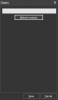
Hi, thanks a lot for your quick answers. What is the button "reload contacts" for?

1604649433233.png
 
Hi, thanks a lot for your quick answers. What is the button "reload contacts" for?
The 3CX client for Windows loads the contacts from DATEV on startup. If you add a new contact to DATEV, it will not be considered during contact lookup. So if you don't restart the 3CX client very often, you might want to click the button to reload contacts from time to time, and get the latest list of contacts from DATEV.
 
StefanW wrote "we are not allowed to save the contact from Datev in 3CX" and edossantos said "The 3CX client for Windows loads the contacts from DATEV on startup". Does loading mean the contacts are not stored permanently in 3CX and loaded fully each time the client starts?

Why are the contacts loaded anyway if nothing is done with them in the 3CX client (-> DATEV shows the contact and not allowed to store)?

Thanks a lot for clarifying things!
 
StefanW wrote "we are not allowed to save the contact from Datev in 3CX" and edossantos said "The 3CX client for Windows loads the contacts from DATEV on startup". Does loading mean the contacts are not stored permanently in 3CX and loaded fully each time the client starts?
They're not stored in 3CX. They're just loaded in memory inside the DATEV plugin which runs inside 3CXPhone, with the sole purpose of doing the contact lookup.

Why are the contacts loaded anyway if nothing is done with them in the 3CX client (-> DATEV shows the contact and not allowed to store)?
We need to know the phone numbers in order to match them with the caller number. This is how we can report call events to DATEV on the appropriate contact.
 
Status
Not open for further replies.

Latest Posts

Forum statistics

Threads
112,324
Messages
591,897
Members
165,476
Latest member
awan05