Solved Debian 3CX Getting loads of probs - GPG Error

Status
Not open for further replies.

Jonners

Free User
Joined
Apr 10, 2019
Messages
62
Reaction score
9
Sorry for the rather vague subject, but not quite sure what is going wrong

I am running a xfce host machine, Virtual Box with the 3CX Debian guest.

The guest updated to Stretch and I found that I was getting many errors listed after a sudo apt-get update in the cmd.. I have seen many posts about problems upgrading from Jessi to Stretch where repositories and licenses were wrong or missing. I had the same messages and tried all the suggestions, but to no avail. I cleaned out the sources list and made sure I only had the 3 stretch entries and I used the suggested cmd to add the licenses, but made no difference. And then after a reboot the guest would not login properly. The 3CX was clearly working normally as all handsets and lines were connected, could make calls, getting vMail messages and backups are happening, etc. but it entered in cmd line, Lightdm or Light Manager, whatever it is called was not working. So I have searched and tried a number of suggestions, but none worked.

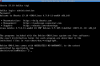
I have just rechecked everything I had done above before submitting this thread and now lsb_release -a says it is on EOAN as do all the sources list except one entry which is still STRETCH. Please see attached two screen photos...
 

Attachments

So my 3CX OS has changed from Debian to Ubuntu!?!?!?!?
 
OK, so I cheated. I saved current state on the snapshot view of the vBox and then restarted using the origional snapshot. That put me back to a working STRECH and desktop/lightdm.

That said, I do not know how I had got myself in to tghe mess, so not learned not what to do nor how to correct it properly and I still have a lot of errors coming up when i
Code:
sudo apt-get update
.

Here are the errors:
HTML:
Ign:1 http://ftp.uk.debian.org/debian stretch InRelease

Get:2 http://downloads-global.3cx.com/downloads/debian stretch-testing InRelease [8,917 B]

Hit:3 http://ftp.uk.debian.org/debian stretch-updates InRelease

Get:4 http://downloads-global.3cx.com/downloads/debian stretch InRelease [8,890 B]

Hit:5 http://security.debian.org/debian-security stretch/updates InRelease

Hit:6 http://ftp.uk.debian.org/debian stretch Release

Ign:2 http://downloads-global.3cx.com/downloads/debian stretch-testing InRelease

Ign:4 http://downloads-global.3cx.com/downloads/debian stretch InRelease

Fetched 17.8 kB in 1s (16.8 kB/s)

Reading package lists... Done

W: http://downloads-global.3cx.com/downloads/debian/dists/stretch-testing/InRelease: The key(s) in the keyring /etc/apt/trusted.gpg are ignored as the file is not readable by user '_apt' executing apt-key.

W: GPG error: http://downloads-global.3cx.com/downloads/debian stretch-testing InRelease: The following signatures couldn't be verified because the public key is not available: NO_PUBKEY D34B9BFD90503A6B

W: The repository 'http://downloads-global.3cx.com/downloads/debian stretch-testing InRelease' is not signed.

N: Data from such a repository can't be authenticated and is therefore potentially dangerous to use.

N: See apt-secure(8) manpage for repository creation and user configuration details.  

W: http://ftp.uk.debian.org/debian/dists/stretch-updates/InRelease: The key(s) in the keyring /etc/apt/trusted.gpg are ignored as the file is not readable by user '_apt' executing apt-key.

W: http://downloads-global.3cx.com/downloads/debian/dists/stretch/InRelease: The key(s) in the keyring /etc/apt/trusted.gpg are ignored as the file is not readable by user '_apt' executing apt-key.

W: GPG error: http://downloads-global.3cx.com/downloads/debian stretch InRelease: The following signatures couldn't be verified because the public key is not available: NO_PUBKEY D34B9BFD90503A6B

W: The repository 'http://downloads-global.3cx.com/downloads/debian stretch InRelease' is not signed. 

N: Data from such a repository can't be authenticated and is therefore potentially dangerous to use.

N: See apt-secure(8) manpage for repository creation and user configuration details.

W: http://security.debian.org/debian-security/dists/stretch/updates/InRelease: The key(s) in the keyring /etc/apt/trusted.gpg are ignored as the file is not readable by user '_apt' executing apt-key.

W: http://ftp.uk.debian.org/debian/dists/stretch/Release.gpg: The key(s) in the keyring /etc/apt/trusted.gpg are ignored as the file is not readable by user '_apt' executing apt-key.

Any ideas for a fix, please?
 
Take a backup and copy it off the box, reinstall with a fresh stretch install, install 3CX and restore.
 
Hi @Jonners

If you are not very familiar with Linux, I would follow the advice of @cobaltit in this case to make things easier and have your machine up and running in no time. You can use the 3CX ISO to install which will take care of the above issues (including GPG keys).
https://www.3cx.com/docs/manual/installing-debian-linux-pbx/

Otherwise you can take a look at our guide here and install the keys manually (for 3CX only)
https://www.3cx.com/docs/manual/installing-debian-linux-pbx/

You will still have to update the Debian GPG keys manually
https://ftp-master.debian.org/keys.html
 
  • Like
Reactions: BrenttG
Take a backup and copy it off the box, reinstall with a fresh stretch install, install 3CX and restore.
Thank you, but that is a bit extreme and not fixing the problem, just covering over it, surely. If there is a problem with repositories and license keys surely it is a case of missing directories and keys and repositories needing cleaning up. The question is what goes in and what goes out, no?


I am using Debian STRETCH (Debian 9.9) on a virtual machine to run 3CX IP-PBX. After it's upgrade it now gets errors when I
Code:
sudo apt-get update
.

Here are the errors:
Get:1http://ftp.uk.debian.org/debian stretch InRelease
Get:2http://downloads-global.3cx.com/downloads/debian stretch-testingInRelease [8,917 B]
Hit:3http://ftp.uk.debian.org/debian stretch-updates InRelease
Get:4http://downloads-global.3cx.com/downloads/debian stretch InRelease[8,890 B]
Hit:5http://security.debian.org/debian-security stretch/updates InRelease
Hit:6http://ftp.uk.debian.org/debian stretch Release
Ign:2http://downloads-global.3cx.com/downloads/debian stretch-testingInRelease
Ign:4http://downloads-global.3cx.com/downloads/debian stretch InRelease
Fetched17.8 kB in 1s (16.8 kB/s)
Readingpackage lists... Done
W:http://downloads-global.3cx.com/downloads/debian/dists/stretch-testing/InRelease:The key(s) in the keyring /etc/apt/trusted.gpg are ignored as thefile is not readable by user '_apt' executing apt-key.
W:GPG error: http://downloads-global.3cx.com/downloads/debianstretch-testing InRelease: The following signatures couldn't beverified because the public key is not available: NO_PUBKEYD34B9BFD90503A6B
W:The repository 'http://downloads-global.3cx.com/downloads/debianstretch-testing InRelease' is not signed.
N:Data from such a repository can't be authenticated and is thereforepotentially dangerous to use.
N:See apt-secure(8) manpage for repository creation and userconfiguration details.
W:http://ftp.uk.debian.org/debian/dists/stretch-updates/InRelease: Thekey(s) in the keyring /etc/apt/trusted.gpg are ignored as the file isnot readable by user '_apt' executing apt-key.
W:http://downloads-global.3cx.com/downloads/debian/dists/stretch/InRelease:The key(s) in the keyring /etc/apt/trusted.gpg are ignored as thefile is not readable by user '_apt' executing apt-key.
W:GPG error: http://downloads-global.3cx.com/downloads/debian stretchInRelease: The following signatures couldn't be verified because thepublic key is not available: NO_PUBKEY D34B9BFD90503A6B
W:The repository 'http://downloads-global.3cx.com/downloads/debianstretch InRelease' is not signed.

Any ideas for a fix, please?
 
Hi @Jonners

If you are not very familiar with Linux, I would follow the advice of @cobaltit in this case to make things easier and have your machine up and running in no time. You can use the 3CX ISO to install which will take care of the above issues (including GPG keys).
https://www.3cx.com/docs/manual/installing-debian-linux-pbx/

Otherwise you can take a look at our guide here and install the keys manually (for 3CX only)
https://www.3cx.com/docs/manual/installing-debian-linux-pbx/

You will still have to update the Debian GPG keys manually
https://ftp-master.debian.org/keys.html
Thank you.
The answer to fix the initial issue was simply to load the snapshot before the incident. I should have thought of that before, and then delete the faulty snapshot if happy. Obviously, still not worked out how I got there and how to get back. Suspect it's change of repositories and upgrade.

However, the issue of keys and repository errors for sudo pay-get update and installs is not resolved. I had tried the keys guide you mention, though shall give it yet another go and see if I can improve on it. As for the Debian link. Yup that's great but as they do not state how to add them, noddy style that's a tad ahead of my curve.
 
Well the solution does not work

in root:
wget -O- http://downloads-global.3cx.com/downloads/3cxpbx/public.key | sudo apt-key add -

--2019-05-05 02:28:16-- http://downloads-global.3cx.com/downloads/3cxpbx/public.key

Resolving downloads-global.3cx.com (downloads-global.3cx.com)... 35.201.76.132

Connecting to downloads-global.3cx.com (downloads-global.3cx.com)|35.201.76.132|:80... connected.

HTTP request sent, awaiting response... 200 OK

Length: 1179 (1.2K) [application/octet-stream]

Saving to: ‘STDOUT’
- 100%[===================>] 1.15K --.-KB/s in 0s

2019-05-05 02:28:16 (31.4 MB/s) - written to stdout [1179/1179]

gpg: WARNING: nothing exported

gpg: no valid OpenPGP data found.

gpg: Total number processed: 0


echo "deb http://downloads-global.3cx.com/downloads/debian stretch main" | sudo tee /etc/apt/sources.list.d/3cxpbx.list

deb http://downloads-global.3cx.com/downloads/debian stretch main

root@deb3cx:/home/administration/Desktop#


and sudo apt-get update still gives.

W: http://downloads-global.3cx.com/downloads/debian/dists/stretch-testing/InRelease: The key(s) in the keyring /etc/apt/trusted.gpg are ignored as the file is not readable by user '_apt' executing apt-key.

W: GPG error: http://downloads-global.3cx.com/downloads/debian stretch-testing InRelease: The following signatures couldn't be verified because the public key is not available: NO_PUBKEY D34B9BFD90503A6B

W: The repository 'http://downloads-global.3cx.com/downloads/debian stretch-testing InRelease' is not signed.

N: Data from such a repository can't be authenticated and is therefore potentially dangerous to use.

N: See apt-secure(8) manpage for repository creation and user configuration details.

W: http://ftp.uk.debian.org/debian/dists/stretch-updates/InRelease: The key(s) in the keyring /etc/apt/trusted.gpg are ignored as the file is not readable by user '_apt' executing apt-key.

W: http://downloads-global.3cx.com/downloads/debian/dists/stretch/InRelease: The key(s) in the keyring /etc/apt/trusted.gpg are ignored as the file is not readable by user '_apt' executing apt-key.

W: GPG error: http://downloads-global.3cx.com/downloads/debian stretch InRelease: The following signatures couldn't be verified because the public key is not available: NO_PUBKEY D34B9BFD90503A6B

W: The repository 'http://downloads-global.3cx.com/downloads/debian stretch InRelease' is not signed.

N: Data from such a repository can't be authenticated and is therefore potentially dangerous to use.

N: See apt-secure(8) manpage for repository creation and user configuration details.

W: http://ftp.uk.debian.org/debian/dists/stretch/Release.gpg: The key(s) in the keyring /etc/apt/trusted.gpg are ignored as the file is not readable by user '_apt' executing apt-key.

W: http://security.debian.org/debian-security/dists/stretch/updates/InRelease: The key(s) in the keyring /etc/apt/trusted.gpg are ignored as the file is not readable by user '_apt' executing apt-key.
 
Perhaps your should check the permission then on /etc/apt/trusted.gpg as per the warning message you are getting. Ensure that you have your backups in place before you proceed.
 
Perhaps your should check the permission then on /etc/apt/trusted.gpg as per the warning message you are getting. Ensure that you have your backups in place before you proceed.
Thank you. DO you know what it should be?
 
Hi Jonners,

Since what you are facing is more of a Linux issue than a 3CX-specific issue, I would suggest to do an online search by using the warning message as a search string.

There are a few solutions on Linux forums (based on permissions, or deletion and recreation of keys) that may work for you. If the root user cannot even read that file, then i doubt APT will be able to either, although I'm not sure how it ended up this way.

Meanwhile, consider if the time invested in this is more than what it would take to run a backup and reinstall with the latest iso (including the risk that anything "broken" may be left behind)
 
  • Like
Reactions: Evolute IT
Hi Jonners,

Since what you are facing is more of a Linux issue than a 3CX-specific issue, I would suggest to do an online search by using the warning message as a search string.

There are a few solutions on Linux forums (based on permissions, or deletion and recreation of keys) that may work for you. If the root user cannot even read that file, then i doubt APT will be able to either, although I'm not sure how it ended up this way.

Meanwhile, consider if the time invested in this is more than what it would take to run a backup and reinstall with the latest iso (including the risk that anything "broken" may be left behind)
Thank you.
I have already created threads on the Ubuntu and Debian forums. Just waiting on replies.

Re time. Maybe, but it took 2 days to install last time, not all the steps did as they should, plus if I make the time now I will learn and be able to share and then anyone else with the same problem will have the fix. I do NOT think it is a major issue. I am sure I have seen this many times before. Most apt and apt-get repository and license issues are quite straight forward once you know what to do. Just need to know that what and how.

So I think it very worth pursuing, if not for me, for others.
 
I second the motion to do a backup and a fresh install as stated by @cobaltit

It will fix the problems and give you a nice clean and reliable slate, with far less effort, just make sure to use 3CX's ISO, not the debian stretch ISO.

ALSO, if your really really worried about pieces being left behind, use DD, the linux command line tool to zero out the disk/drive/partition before you reinstall, its a one liner to do that and then nothing is left over to hurt a fresh install.
 
  • Like
Reactions: Evolute IT
Sorry guys could not agree. If no one tries to work it out then it will just keep happening and many others will not get the correct answer.

Anyway, as I thought the solution is simple.

In a terminal just type:

sudo mv /etc/apt/trusted.gpg /etc/apt/trusted.gpg.orig

enter your password and


Then follow the key and repository advice to fix the other problem, which was.....

wget -O- http://downloads-global.3cx.com/downloads/3cxpbx/public.key | sudo apt-key add -
echo "deb http://downloads-global.3cx.com/downloads/debian stretch main" | sudo tee /etc/apt/sources.list.d/3cxpbx.list
echo "deb http://downloads-global.3cx.com/downloads/debian stretch-testing main" | sudo tee /etc/apt/sources.list.d/3cxpbx-testing.list
sudo apt update
sudo apt install net-tools dphys-swapfile

Basically it renames the old directory so it is not used, but kept as a backup, and then when the commands as per the key and repo are followed it rebuilds a new directory
 
your missing the point....

best practice is to do a clean install, not an upgrade when ever possible when you are doing such things as moving from 3CX 15.5 SP6, to say, 3CX version 16.0(or moving from windows to linux). A great number of things in the OS and Kernel have changed, and lots of excess gets left behind in the process of upgrading.

You end up with a cleaner box, less confusion, and no trailing garbage with a clean run, not to mention it takes us literally about 4 minutes to reinstall the OS, and 3CX on a clean VM in our VMware environment using debian stretch thanks to some pre-build scripting. We go from a blank slate to fully up and running on the 3CX license key/backup restore screen in literally 4 minutes. That beats the crap out of hours or days of digging through linux upgrade and repository mess since on the clean install, the repos are all nice and clean shiny new.

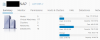
As you can see in the attached screenshot, we have a bit of experience with this, we have milled it down to a science. Of those 117 VMs you see running, 109 of them are 3CX Servers. And thats just the ones we host in our cloud, this doesn't include those that are on-premises.

14242
 
I don't know. It took me the best part of a day to install the 1st Debian based 3CX and that was from a backup of a Windows install. The break could happen at any stage at any time, and probably nothing to do with 3CX updating or the Linux OS updating. I have been running Linux OS since 08 and upgrades and updates have not been an issue. that cmd line too seconds to do, and whilst it took a bit of time to get the answer, I did not have to stop what I was doing or shut anything down. I just took a gander form time to time in the forum...

AT most, if there have been instances of upgrades bringing over garbage then we need to know how to clean up. It inevitably only requires a simple cmd, just peeps need to learn or be told what they are, and once one has been through it then it will work for all and save huge amounts of time and risk. What I did was in effect exactly what you talked about, cleaning out any garbage.
 
Ive been rolling Linux and BSD since the 90s, and i can guarantee you there is more left behind during updates than you think. Red Hat, Debian, Yellow Dog, CentOS, Gentoo, Fedora core 4, how far back we go doesn't really matter. 3CX is such a modular system, deploying a new VM is cake unless your not doing it properly.

We did such a windows to linux migration just 3 days ago, went from Windows based 3CX 15.5 SP6 on premise, to a Linux 3CX 16.0.4 in our cloud, the whole process start to finish including changing the phones to direct stun and re-provisioning the phones using option 66 via DHCP took like two and a half hours, and a decent piece of that was uploading the backup zip to our datacenter over the customers 10 Mbit connection.

If your trying to get into the 3CX hosting world there are many many ways to streamline the build and support process, the stuff im talking about are key points. The less time you spend taking off into the weeds with silly issues, cleaning up old VMs, etc, the more time you have for building new platforms, adding more customers, or doing any other things that your business might need your time for.

We are not trying to insult your intelligence or anything, but there is a well founded reason behind each of these pieces of advice, if you prefer your method to it, so be it if it makes you happy.
 
Well, I was not migrating from Windows to Linux, that was a long time ago, this was just a daily security update. Doing a new build every day just for an update, to me seems a tad overkill. When the OS is new all the settings and configs need to be set up and changed and that can not be done from a backup as you would be migrating all the mess you talk about. It would be like a new machine.

Repository errors can occur at any time, and I have to say it took seconds to sort, not hours, and I have never had any of the issues you describe. Debian saw no issues or problems in the cmd clean up. No hint or suggestion that t=a new install was required.

Each to their own. I have the code to clean (which is what a rebuild would do anyway) so I am happy and I hope it helps someone else too. But I do thank you and appreciate your help, even if it is not my chosen route.

sudo mv /etc/apt/trusted.gpg /etc/apt/trusted.gpg.orig
 
BTW, i was speaking only to the major update releases, such as from Debian 8 to Debian 9 which was quite bumpy for early adopters who tried to just update to debian 9 via CLI, as far as dropping a new image as a method of upgrading, or when moving from windows to linux. obviously to do a daily minor security or patch update is another matter.
 
Ok let's cool it down a bit guys :)

@Jonners it's always good to be able to spot the issue and fix that specific thing without nuking the whole installation. If you have the time to do so it can be a valuable resource. This is especially true when there are restrictions that require this approach. It's also a very good learning experience and getting more hands-on time with Linux is always a good thing

@BrenttG streamlining the workflow to get machines up and running fast is a necessity when you have limited time and many customers, we try to automate it as much as possible to ensure it can be streamlined for our partners and customers. In case something goes wrong you can rebuild in practically no time and this of course vital.

Now both views are respectable of course, and you need to decide which approach to use per case. Personally, when I can fix it without nuking it I will attempt to do so, but when I need to quickly bring up a problematic instance I will shoot and ask questions later

Anyway, glad to hear this was resolved and thanks for sharing the solution. We can mark this one as solved!
 
Status
Not open for further replies.

Forum statistics

Threads
111,935
Messages
589,823
Members
164,818
Latest member
Guriqbal Singh