- Joined
- Mar 30, 2010
- Messages
- 20
- Reaction score
- 0
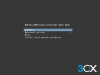
I think I must be stuck with a mis-match of versions of things, probably looking at an older 3CX "help" page... when I download the 3CX Debian Linux iso, and install it on VMware 6.5, then I don't get the choice of "Install" or "Graphical Install" that the how-to says I will, If I pick Graphical Install, I just get a blank grey screen, and it never completes.
I'd prefer a text-mode install. When I try to use a generic Debian 9 ISO I can't work out how to load the install - the script I've used in the past on Google VMs doesn't appear to be compatible (different verions or something...)
I'd prefer a text-mode install. When I try to use a generic Debian 9 ISO I can't work out how to load the install - the script I've used in the past on Google VMs doesn't appear to be compatible (different verions or something...)