Solved DECT Time&Date?

Status
Not open for further replies.

Discovery87

Silver Partner
Basic Certified
Joined
Jan 7, 2020
Messages
81
Reaction score
12
Afternoon!

Just wonderinf if anyone has had problems with Yealink W60/W56 DECT phones not showing the correct time on the handset display?

I have set the timezone in the extension/phone config on 3CX and checked this is filtering through to the phone's web page config but still 8 hours out!

Cheers
 
Have you got an NTP server configured in your DHCP and is your DECT on the supported FW
 
  • Like
Reactions: AWS2P
Have you got an NTP server configured in your DHCP and is your DECT on the supported FW
Yeah mate, all other phones work fine it's just these models that persistently switch to the global time zone. Even if i set the time manually they revert back. It's like its picking up this config from somewhere but I don't know where.
 
pcap off the dect will tell you
 
Hello @Discovery87

I had no issues using W60B/W56H, once they're provisioned, they just take the system time and date.

As above, try to check from where they get the NTP information. Have you tried to factory reset the base and the handsets ?
 
Hi,

What time zone are you setting them to from the management console, and what timezone is set globally for your instance?

Are we referring specifically to the W60B base with firmware 77.83.0.20?
 
Hi guys

Thanks for taking the time, sorry for the delayed response.

JohnS, yes this is a W60B base with 3 x W56H handsets connected. Straight out of the box they all have the wrong time set which is understandable. When setting up the base in 3CX I set the correct time zone but it doesn't help.

I also went into the web gui for the base and checked it had taken effect in there which it had.

The firmware is 77.83.0.25.

This is happening for two seperate instances. In each case, all other phones are working fine and pulling the time correctly.

When I attempt to set the time manually using the W56H menu it doesn't take effect. I have logged a ticket with Yealink but they are closed for the Chinese new year!

Can anyone clarify exactly how the time process works for DECT handsets? Am I right in thinking that they pull time from the base? Is there a way to check what time the W60B base has at the moment? I searched its web gui but couldn't find a reading of the current time.

Cheers
 
Understood, but what timezone are you setting them to from the management console, and what timezone is set globally for your instance?

14193
14194
 
I only think about Settings -> Time & Date in the Yealink base. Then check if that accord with the 3CX Timezone settings in the FXS/DECT Tab and on the DECT himself.
Repeat the test with a manual timezone set in 3CX.
 
Hi chaps

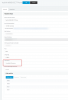
My global timezone is set to:

14195

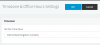
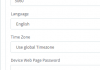
And the DECT:

14196

I have tried setting the time manually on the base through the web config, I've tried DHCP time but nothing seems to effect it.

I am guessing this firmware is FUBAR?
 
Go here https://www.yealink.com/products_48.html

Click "Software" button on top of page, download correct 3CX firmware for this model so we can be aligned on the same version. Factory reset and reprovision the device.

If your PBX is hosted on a windows machine, ensure it also has the correct time zone (important)
 
Thanks John I'll try that.

Is there a way to do this remotely? (via 3CX I mean rather than remoting on to a local PC)
 
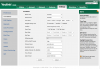
No, you will need access to the DECT base web UI somehow, so maybe you can RDP into a local PC at the site and get it done. Once done, please reset and reprovision it to ensure correct configuration. It will end up looking like this after correct provisioning:

14197
 
Go here https://www.yealink.com/products_48.html

Click "Software" button on top of page, download correct 3CX firmware for this model so we can be aligned on the same version. Factory reset and reprovision the device.

If your PBX is hosted on a windows machine, ensure it also has the correct time zone (important)

JohnS thanks for the help mate this resolved my issue.

I downgraded the W60P base firmware from 77.83.0.25 to 77.83.0.20 as listed on that webpage you linked. As soon as the base had rebooted the time was immediately corrected on all handsets. I didn't need to factory reset or reprovision. I then went to the other client site's which had W60P's and the same process fixed those also.

It appears firmware 77.83.0.25 is fudged. (For lack of a better technical term)

Cheers!
 
Glad to assist! I would recommend doing a rest/reprovision anyway if you can, just to make sure there is no chance that any funky settings from the previous firmware stays behind possibly corrupting the operation of the device. Usually the upgrade process takes care of this (I hope) but for downgrading I'm not so sure.

Anyway, happy to hear all is well now :)
 
  • Like
Reactions: Discovery87
Status
Not open for further replies.

Forum statistics

Threads
111,935
Messages
589,823
Members
164,818
Latest member
Guriqbal Singh