Disk Space

Status
Not open for further replies.

commercial1

Silver Partner
Basic Certified
Joined
Sep 16, 2011
Messages
65
Reaction score
3
Im getting the following alert on an installation

"
is running out of space. (342.9 Mb Space left out of 500 Mb).

As a result of this, recordings, logging and voicemail services are disabled until this problem is resolved.

Login to the machine, free up some space or add more disk space and reboot the server."

When i log into the console it shows 42.2 GB free disk space and the call recording drive shows 58gb used of 180gb, i have cleared all logs etc just in case.

Has anyone got any ideas on why this seems to be mis-reporting
 
Hi can you provide the following info it will assist in helping people to understand the environment you are running.

Some information about you system that is almost always useful is the following:

  • 3CX Version, e.g. Standard Annual 16.0.2.910
  • Server OS, e.g. Debian 9 / Windows Server 2012 R2 / Raspberry Pi
  • Is the 3CX Server Hosted and where?
  • IP Phone Make/Model/Firmware
  • Provisioning Method: Local / VPN / STUN / SBC
  • Trunk Provider or Gateway Make/Model
  • Has the Firewall Checker passed: YES / NO
  • Are custom Phone Templates being used: YES / NO
Depending on each individual case, there will probably be other specific information that could help, but you can't go wrong with starting off with the above.

Only thing i can think of is have you checked your recording quotas in 3cx.

Cheers
 
What level is your logging currently at?
 
logging is currently set to off and keep 1 days worth.
 
Hi can you provide the following info it will assist in helping people to understand the environment you are running.

Some information about you system that is almost always useful is the following:

  • 3CX Version, e.g. Standard Annual 16.0.2.910
  • Server OS, e.g. Debian 9 / Windows Server 2012 R2 / Raspberry Pi
  • Is the 3CX Server Hosted and where?
  • IP Phone Make/Model/Firmware
  • Provisioning Method: Local / VPN / STUN / SBC
  • Trunk Provider or Gateway Make/Model
  • Has the Firewall Checker passed: YES / NO
  • Are custom Phone Templates being used: YES / NO
Depending on each individual case, there will probably be other specific information that could help, but you can't go wrong with starting off with the above.

Only thing i can think of is have you checked your recording quotas in 3cx.

Cheers

16.0.5.619
Debina 9
Hosted OVH
STUN
Sip provider Gamma
Firewall Yes
No custom templates

Checked call recording quotas they are on a seperate drive to the system and currently showing 60gb of 180gb
in management console shows syetm drive at 13% used with 42.2 gb free
 
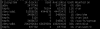
check all your mounted partitions and figure out which one matches the space seen:

Bash:
sudo df -h
 
1595311211809.png
1595311221847.png
(2.3 Mb Space left out of 500 Mb).

As a result of this, recordings, logging and voicemail services are disabled until this problem is resolved.

Login to the machine, free up some space or add more disk space and reboot the server.

Getting the same every night now, i can not see any location which shows 100% Use am i missing something ?
 
Are we sure it is this specific installation that generates the issue and not another one perhaps?

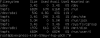
run df -h so you can see it in megabytes. I don't see any partition sized at 500mb here that would match
 
Yes i am 100% sure this is the correct installation, it is happening every evening. One day i went into the 3CX console and it reported 0% free on system and call recording drives, rebooted and it was fine. See df-h below
1595336570436.png
 
The strange thing is that there is no 500Mb mount appearing.

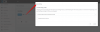
Would you mind showing a screenshot of your recordings "Location" settings from the management console?

1595338152273.png
 
Status
Not open for further replies.

Forum statistics

Threads
111,954
Messages
589,921
Members
164,852
Latest member
priya