Downgrade license version

Status
Not open for further replies.

Paideia

Premier Customer
Joined
Jun 7, 2021
Messages
20
Reaction score
3
Hello,
i have a problem with my license.

1634062773874.png

I have 3CX version 16 self hosted but my license certificate says version 18.
Is there a way to "downgrade" the 3cx version in the license?

Thank you.
 
Hi!

I think I located your license key and I checked the activation requests.
It seems that you had at some point upgrade a 3CX installation that you had done with your key to V18, but then you went back to V16.
You key though, because it was activated at least once on V18, it can't now be activated on V16.

If this is true, may I ask why you did this?
 
  • Like
Reactions: Evolute IT
Yes this is exactly what happened. I installed v18 to try it out but changed idea when i saw the web client changes so i reverted the VM snapshot.

How can i deal with this situation?

Thank you for your time
 
I thought there was a 30 day grace to go back a version - did this change?
 
@SweetAction You are absolutely right, the slipped my mind. Indeed, if you upgrade to V18, then downgrade to V16 again and our activation server sees a activation within 30 days from the upgrade, it will automatically downgrade the key.

For some reason here, I see an activation of V18, but never a activation thereafter on V16 within the 30 day period.
The only thing I can assume is possibly if the OP did some kind of snapshot restore to bring back V16 and an activation didn't happen.


Anyhow, @Paideia , we have fixed it for you so now you should be able to re-Activate you key on V16.
All you need to do is go to the Management Console --> Settings --> License and hit the Refresh License Key Information button.
 
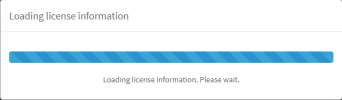
Thank you @NickD_3CX but unfortunately at present when i go to the license page i remains stuck on:

1634110419259.png

We have another installation with a different license and it does the same thing. Are there problems with the license server?
 
This was just very bad timing. When you tried to refresh it, there was an OVH outage that affected all activations.
Please try again now and you should be OK.
 
Yes it worked perfectly now! Can i ask you to do the same thing on our other license? It has the same problem and will expire shortly.
What info do you need to find it?

Thank you.
 
Last edited:
Yes it worked perfectly now! Can i ask you to do the same thing on our other license? It has the same problem and will expire shortly.
What info do you need to find it?

Thank you.
Send me a PM with the first 8 digits of the license key and I can check it.
 
Status
Not open for further replies.

Forum statistics

Threads
111,976
Messages
590,089
Members
164,904
Latest member
gdstratton