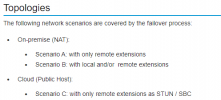
DR solution for on premise 3CX server ?

Status
Not open for further replies.

PeterCheng

Forum User
Joined
Jan 5, 2021
Messages
105
Reaction score
11
Hello sir,

Now we're implementing 3CX PBX in our primary data center, and in the near future we will set up a HA mechanism for 3CX PBX.
Basically from the document I've found, it's about hosting in the cloud, not on premise.
The 3cx PBX solution has failover mechanism, but it also adapts 3CX on premise architecture?
Right now we use V18 version and linux-based 3CX PBX.
Is there any design guide for on premise server failover mechanism?

users use pbx-internal.test.com for internal(in office) registration and pbx.test.com for public (out of office) registration.
active server :
real internal ip : 10.1.1.1
real public ip : 100.1.1.1

passive server :
real internal ip :10.2.1.1
real public ip : 200.1.1.1

Would someone tell me how to design the FQDN setting? Thanks.
 
This document details failover in 3CX:

https://www.3cx.com/docs/failover/

But if you are using terms like HA and data center then you probably already have a HA scenario you use for your other VMs and 3CX should fit right in. DNS is not 3CX specific so you should be able to find plenty of resources on how to update DNS depending on how you are providing DNS.
 
  • Like
Reactions: Evolute IT
This document details failover in 3CX:

https://www.3cx.com/docs/failover/

But if you are using terms like HA and data center then you probably already have a HA scenario you use for your other VMs and 3CX should fit right in. DNS is not 3CX specific so you should be able to find plenty of resources on how to update DNS depending on how you are providing DNS.
Hello @cobaltit
Thanks for your reply.
I've also seen the document, but the scenario seems to be used for hosted environment (cloud) ?
Sorry that I used the term "HA", it should be work at the same site, and VRRP can fulfill such function.
But if we setup DR site, it should be failover instead of HA.
So the failover document is also fit on premise scenario?
and do I need to use 3CX FQDN manager? or just use my own DNS server?
Thanks.

Pre-requisites​

Before configuring or enabling 3CX failover on your 2 servers, the 3CX installations need to conform to these requirements.

  1. Two (2) 3CX cloud PBXs each with its own public IP, both installed with identical settings, including FQDN, SSL Certificate, SIP, Tunnel, web server ports and web server type.
 
Just above that:

1629774540634.png

Not sure why it says cloud but the original failover design was for on-prem scenarios.
 
  • Like
Reactions: Evolute IT
Hello cobaltit ,
Thanks your your feedback.
If 3CX server failover function also fits on-premise environment, could I use internal DNS server to satisfy its mechanism?
The failover mechanism is when active server fails, passive server can detect the change and make itself active.
It then updates the FQDN in 3CX DNS manager (it should be cloud) with the originally passive server's ip address.
But if I install 3cx server with self dns server chosen (choose "I have my own fqdn" instead of "I need a 3cx fqdn")
the failover function will let passive server to active sserver without updating fqdn?
(Is it possible that besides my dns server, I also use 3cx's dns server to reply ip address of the fqdn once I've installed the server?)
Right now for windows app or mobile app, it will ask both in office and out of office fqdn for registration.
If I can add the 3rd ip address/fqdn in 3CX server ,it will then send to the clients and they will try to register via all the 3 fqdn? (basically external fqdn and 3cx fqdn are the same public ip address.)
Thanks.
 
But if I install 3cx server with self dns server chosen (choose "I have my own fqdn" instead of "I need a 3cx fqdn")
the failover function will let passive server to active sserver without updating fqdn?
That is correct, that's why you need to write your own scripts when using your own FQDN that will somehow update the DNS entries with the new Local IPs.
As this is will be an on-prem installation, yes, you can do this on the local DNS. Don't also forget that your script may also have to adjust the routing from the "active" server to the "passive" one, when a failover occurs, otherwise external extensions won't be able to connect.
 
Status
Not open for further replies.

Forum statistics

Threads
111,978
Messages
590,100
Members
164,907
Latest member
d.obermeier