Duplicate Yealink phones and they don't work

Status
Not open for further replies.

Albert464

Customer
Intermediate Cert.
Joined
Oct 21, 2017
Messages
110
Reaction score
9
Hello,

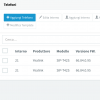
A few days ago in the "Telephones" tab my phone has duplicated and the display shows the word "Absence service". The phone is configured in STUN. He never had any problems. We only have one so it can't be the fault of the Firewall ports. It worked for months and suddenly it behaves like this.

What can it be?
 

Attachments

  • Screenshot 2019-12-07 12.51.15.png
    Screenshot 2019-12-07 12.51.15.png
    60.9 KB · Views: 20
First check would be the local firewall that the phones are located behind.

Check for SIP ALG settings and correct port forwarding, I have seen this before with incorrectly configured firewall settings with STUN.
 
I use the t42s and have had them get "stuck" before, I just delete them reset them and re provision with the rps server method, enter the ext number on the lcd of the phone and then the voice mail pin. they are one of the fastest phones to setup.
 
  • Like
Reactions: Mr_F
they are one of the fastest phones to setup.

I would agree with that, I have one that I use to test any issues reported with any of our hosted systems, takes a matter of a minutes and your good to go!
 
The phone is configured in STUN. He never had any problems. We only have one so it can't be the fault of the Firewall ports. It worked for months and suddenly it behaves like this.

Can't be? So you have the SIP and RTP ports defined in on the Phone Provisioning tab forwarded to the phone? And SIP ALG is turned off. Because if you didn't do that, then it absolutely could be the fault of the firewall ports regardless of how long it worked before. And that is the only 3CX supported way of configuring STUN.
 
Status
Not open for further replies.

Latest Posts

Forum statistics

Threads
111,934
Messages
589,822
Members
164,814
Latest member
Ruben756