- Joined
- Jul 13, 2016
- Messages
- 3
- Reaction score
- 0
I've got a 3CX 15.5.SP1 Pro installation and am trying to integrate our Microsoft Dynamics365 (online) with the 3CX client for windows. I have the MicrosoftDynamicsCRM.zip showing up under the installed CRM integration and I've enabled my extension for that integration.
On the windows client (version 15.5.6354.2), I can see General and Microsoft Dynamics CRM under settings, advanced settings, Integration.
General is set for On Ring, Enable journaling, Create new contact if not found, and Max digit length = 7.
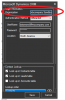
Microsoft Dynamics CRM is set for, Authentication Method = Office365, with a username and password and North America selected. All the contact lookup's are checked and use default browser is checked.
I've saved, exited and restarted the 3CX windows app.
When a call comes to the extension the app rings, but no browser pops up. There must be something very obvious that I'm missing, but I've yet to fine it.
I'm am curious how the app would know the URL of my online CRM instance (production or sandbox) but it appears that it doesn't even trigger a web browser to open.
Can anyone help me get past this hurdle?
On the windows client (version 15.5.6354.2), I can see General and Microsoft Dynamics CRM under settings, advanced settings, Integration.
General is set for On Ring, Enable journaling, Create new contact if not found, and Max digit length = 7.
Microsoft Dynamics CRM is set for, Authentication Method = Office365, with a username and password and North America selected. All the contact lookup's are checked and use default browser is checked.
I've saved, exited and restarted the 3CX windows app.
When a call comes to the extension the app rings, but no browser pops up. There must be something very obvious that I'm missing, but I've yet to fine it.
I'm am curious how the app would know the URL of my online CRM instance (production or sandbox) but it appears that it doesn't even trigger a web browser to open.
Can anyone help me get past this hurdle?