- Joined
- Jan 27, 2019
- Messages
- 17
- Reaction score
- 2
Guys.
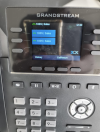
When we provision GS phones, the extensions appear twice on the phone consuming valuable function keys. It already has the extension number and name showing on the top so no need to assign 2 more function keys to it.
I know i have to copy the phone template and edit but not sure of which area to edit on the phone template so that it only shows 1 line key or no line key so that I can use the function key for other BLFs.
Anyone help?
Chin
When we provision GS phones, the extensions appear twice on the phone consuming valuable function keys. It already has the extension number and name showing on the top so no need to assign 2 more function keys to it.
I know i have to copy the phone template and edit but not sure of which area to edit on the phone template so that it only shows 1 line key or no line key so that I can use the function key for other BLFs.
Anyone help?
Chin