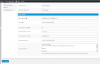
Where are these settings located? In WordPress, the 3cx main console, the webclient? Can't find them... ThanksI see what you mean. To properly configure this you'd need to go to:
Live Chat > Settings > Offline Messages > Send to Agent/s
In this field you'll need to add the e-mails of all your agents comma separated.
Please keep in mind that the way this works is temporary and we're working on a major update for the plugin in order to revamp features like this.
Where are these settings located? In WordPress, the 3cx main console, the webclient? Can't find them... Thanks
Hi, in the settings I have set an address in Auto-responder 'From' email: [email protected] but the email that the user gets is From WordPress <[email protected]>
Am I missing something? How can I have it coming from me?
Thanks
Founded in 2005, when VoIP was an emerging technology, 3CX has gone on to establish itself as a global leader in business communications.