Email chat notification

Status
Not open for further replies.

typopoint

Forum User
Joined
Jan 20, 2020
Messages
3
Reaction score
0
The chat notification goes to the administrator email and not to an agent - why?
 
Do both your admin and agent have the same e-mail?
 
All agents have their own email, such as [email protected]. But the notification goes to [email protected]. Is this a problem with wp-live chat or is it related to the mail server?
 
I see what you mean. To properly configure this you'd need to go to:
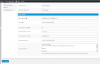
Live Chat > Settings > Offline Messages > Send to Agent/s

In this field you'll need to add the e-mails of all your agents comma separated.

Please keep in mind that the way this works is temporary and we're working on a major update for the plugin in order to revamp features like this.
 
Thank you very much. At the moment we are working with the visual notification and will integrate the email notification after the update.
 
Hi, in the settings I have set an address in Auto-responder 'From' email: [email protected] but the email that the user gets is From WordPress <[email protected]>
Am I missing something? How can I have it coming from me?
Thanks
 
I see what you mean. To properly configure this you'd need to go to:
Live Chat > Settings > Offline Messages > Send to Agent/s

In this field you'll need to add the e-mails of all your agents comma separated.

Please keep in mind that the way this works is temporary and we're working on a major update for the plugin in order to revamp features like this.
Where are these settings located? In WordPress, the 3cx main console, the webclient? Can't find them... Thanks
 

Attachments

  • chat.png
    chat.png
    46.8 KB · Views: 15
Status
Not open for further replies.

Forum statistics

Threads
112,147
Messages
590,961
Members
165,167
Latest member
Finatra.us