- Joined
- Dec 3, 2020
- Messages
- 42
- Reaction score
- 42
Hello everybody,
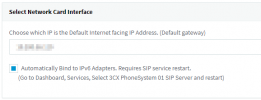
I just upgraded to V18 (fresh install with restore of V16 backup). System works fine, but I cannot enable IPv6. I checked the the option in the management interface:
But even after the system restart, IPv6 remains not available:

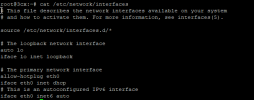
When going to the system console via SSH, there is no routable IPv6 address:
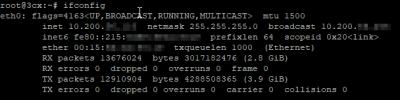
I can't even ping to the outside world using ping6.
The system is installed on a virtual machine on my hardware. In the same network segment there are other VMs (running Ubuntu, not Debian) that use stateless autoconfigure to get a public routable address. Is there any special setting necessary for Debian 10?
Regards,
Christoph
I just upgraded to V18 (fresh install with restore of V16 backup). System works fine, but I cannot enable IPv6. I checked the the option in the management interface:
But even after the system restart, IPv6 remains not available:
When going to the system console via SSH, there is no routable IPv6 address:
I can't even ping to the outside world using ping6.
The system is installed on a virtual machine on my hardware. In the same network segment there are other VMs (running Ubuntu, not Debian) that use stateless autoconfigure to get a public routable address. Is there any special setting necessary for Debian 10?
Regards,
Christoph