entered wrong FQDN in setup

oem

Silver Partner
Basic Certified
Joined
Dec 10, 2014
Messages
5
Reaction score
2
Hi,

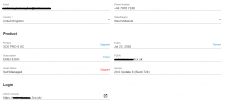
I entered the wrong FQDN while in setup and want to correct before setting up users in the system.

How do you replace the FQDN on 3CX hosted platform.

Thanks
 
Hello oem,

You can never change an active FQDN.
Please remove 3CX installation, go online to your 3CX account, and diconnect the FQDN form the License.

Than modify the xml setup file with a TEXT editor, and start again with the 3CX installation.

Paulo
 
  • Like
Reactions: Alejandro_3CX
can that be done by clicking the unlink button?
 
Hello oem,

No, the unlink button, it to release it from the reseller!
You need to be on the account of the 3CX license, this can be (should be) another than the reseller login.
Please check the email address used with the license.

Paulo
 
  • Like
Reactions: KyriacosS_3CX
Hi,


Looks like they didn’t receive the login details when the account was setup and reset password they are not receiving ?


Thanks
 
Fantastic! that worked. Great work Paulo
 

Forum statistics

Threads
111,958
Messages
589,938
Members
164,861
Latest member
LewisJC