Solved Error: Interface 3CX With Bitrix24

Status
Not open for further replies.

sang

Joined
Feb 22, 2017
Messages
15
Reaction score
0
hi everyone

I have a problem when interface 3cx with Bitrix24

19029683_861649037323148_7115793963375691943_n.jpg

when i click Authorize Plugin - in it show:

18951059_861649040656481_8079446334399423515_n.jpg
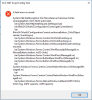
I think it ok but when i closed this popup it shown:

19059103_861649043989814_6931306178032765881_n.jpg
so I can't interface them . Please help me

i try to some another account bitrix24, so it can't interface

Thanks everyone
 
Last edited:
Hello sang

Are you using self hosted Bitrix24 or cloud ?
 
I'm using bitrix on cloud . before update 15.5 i popuped it in version 15 . but when i update 15.5 i have this error. Please help me
 
Last edited:
please help me ....
 
Bitrix24 plugin is tested on 15.5 and works as expected. I send you a pm
 
hi Andreas
Thanks for your help
I want ask a question. I hop you can help me

1. 3CX Interface with Bitrix24 On Premise ( self-hosted) ???
i had read the document of Interface 3CX with Bitrix24 , it wrote :

  • A Bitrix24 account (Cloud version , Self hosted Version with REST API enabled)
. if it can interface with Self hosted Version, i hope you can send me a document interface with Self Hosted

thanks you
 
Hello sang

If you are using Bitrix24 self hosted with rest api enabled then you are able to use the plugin. On "fresh" versions of Bitrix24 self hosted the REST API is enabled by default if you have a licence. The document is the same for self hosted.

Thanks
 
Dear Andreas,

I am trying to install Bitrix24 in our self hosted version, can you please guide me how to use it and installed in Selfhosted version.
 
Thanks Andreas,

for you quick response, do I have to pay extra charges for 3cx pro ?
 
If you want to use integration plugins you need a PRO license for the pbx . No extra charges
 
How to get Pro License, guide me
 
Hi Andreas,
I've got the same problem with my bitrix (cloud) as sang above.
Could you guide me too?
 

Attachments

  • Bildschirmfoto 2017-08-21 um 11.41.03.png
    Bildschirmfoto 2017-08-21 um 11.41.03.png
    142.2 KB · Views: 15
Hello Ingo

Be sure that you select the correct location and you have installed the 3cx app in Bitrix24.

Thanks
 
Hi Andreas,
yes, I've selected "USA/Europe" (as above) in the 3CX Client.
And the 3XS App in Bitrix24 is also integrated.

What else can I do?

I use bitrix24 in german language.
There's a problem with the location, since a few weeks. I've send this to bitrix24 and they told me to ask the developers.
Can it be that my problem is related?
 
Last edited:
Here's a screenshot in german language.
If I select English, the representation is correct and also the access rights are adjustable. However, the integration in 3CX does not work with this setting either.
NotificationCenter_und_Menubar.png
 
Hello Ingo Bergmann
I sent you a pm
 
Thank you for your help.
It's fixed!!!
 
Status
Not open for further replies.

Forum statistics

Threads
112,322
Messages
591,890
Members
165,470
Latest member
Robert Lee