"Error loading setup config file" during upgrade to V20

Status
Not open for further replies.

Dr.Adam

Customer
Joined
Jul 31, 2024
Messages
5
Reaction score
2
Dear Sirs,

I am upgrading an existing system (Windows Server, self-hosted, V18) to V20. According to the official guidelines, I took a full backup from V18, I uninstalled it and after a restart of the server I started a fresh installation of V20. After completing the installation, I am trying to upload the backup file (which includes of course all the configuration form the V18 previously running system), but I am getting the following error:
Error loading setup config file: There is an error in XML document (1, 1).
I am kindly asking for urgent assistance, as the PBX is now uninstalled and needs to be up and running asap.

Thanks a lot in advance for your prompt attention!

With kind regards,
Adam
 
Did you followed the requirements for v20? System owner extension, unique email addresses and so on?
 
Use the backup during the installation.

This will restore your configuration. You are overcomplicating things by deploying a new PBX then using the backup to restore the config.
 
  • Like
Reactions: Dr.Adam
Use the backup during the installation.

This will restore your configuration. You are overcomplicating things by deploying a new PBX then using the backup to restore the config.
True, i didnt read this completly...
 
Hi @NicholasP_3CX,

Actually this is exactly what I did. After completing the installation or before completing it 100%, I had a DOS popup window. There I selected the first option (web browser) and the installation was proceeded on Google Chrome. It was asking for the configuration file, and there is where I uploaded the .zip file that was produced from the backup of V18.

I don't see where is my mistake. Please enlighten me.

With regards,
Adam
 
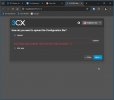
It sounds like you've selected the new install route. A configuration file is what is generated when you deploy 3CX via the customer portal. You need to select the option to RESTORE FROM BACKUP.
 
You should have two options... Config file and backup restore.
 
This is what I see...
3CX-Exarchos-Upgrade-V20-error-002_2024-07-31.jpg
 
The step before this...
 
  • Like
Reactions: Dr.Adam
Hi @bitn2,

That did the trick! Thank you so much. I only have one issue now. The prompt I had for holidays, is not played now. It was configured under Office Hours, as holidays.

Any idea how could I fix that?


With regards,
Adam
 
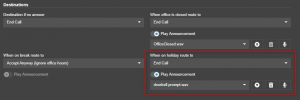
Holidays are now under the departments. Go into your Call handling page and add your Ring groups ad Queues under the department you want, and from the Queue itself you can assign the holiday prompt to be played.

1722436460591.png
 
Hey @NicholasP_3CX,

Thanks a lot for your help! Much appreciated.


With regards,
Adam
 
Status
Not open for further replies.

Forum statistics

Threads
111,953
Messages
589,909
Members
164,845
Latest member
tdzski5