Exchange 2007, Forbidden error

Status
Not open for further replies.

Ase

Joined
Jan 12, 2009
Messages
58
Reaction score
0
Hi,

What Iam trying to do is to forward Voicemail and Auto Attendant into Exchange 2007 SP1 Unified Messaging.
I have moved Exchange to different SIP ports.
When I try to connect to Voicemail or Auto Attendant with VoIP client, I get info "forbidden" in the client and the following in the the log "403 Forbidden".

Any ideas what I missed?
What permissions is involved to make this call forwarding?

//Ase
 
Re: Excgange 2007, Forbidden error

are there any messages in the event log on your exchange server?

and a daft question is the um service started on the exchange server?
 
Re: Excgange 2007, Forbidden error

Hi ndl,

Thanks for your reply.
Good tip to look at Exchange logs, I never thought about that, just looked at 3CX logs.
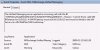
I get av Error Event ID: 1021 (I attached a picture).
The gateway should be setup properly (I think), but I still get the error of a missing Gateway.
I tried to follow the 3CX Exchange 2007 Guide.
Have you seen any other guide of Exhcnage UM setup that I could follow or do you have other ideas to check?

//Ase
 

Attachments

  • Event 1021.jpg
    Event 1021.jpg
    70.1 KB · Views: 2,156
Re: Excgange 2007, Forbidden error

Have you actually set up a UM Gateway in Exchange?

have a read of this
http://blogs.technet.com/industry_insiders/pages/is-it-easy-to-install-exchange-2007-um.aspx

Check the UM Gateway settings in Exchange Management

- Open Exchange Management
- Expand 'Org Config'
- Expand 'Unified Messageing'
- Click the 'UM IP Gateways' TAB
- Open the 3CX UM Gateway that you have added
- check the IP address matches the IP of the 3CX machine

Also check out the 3CX documentation
http://www.3cx.com/support/exchange-server-2007.html
 
Re: Excgange 2007, Forbidden error

Hi,

Checked all that and it seems to be OK, tried also 127.0.0.1 as UM Gateway, but with no differens (both programs is on the same server).

I also double checked installed roles in the Exchange Management Console it shows "Hub Transport, Client Access, Mailbox, Unified Messaging" and all services is started.

Here comes a strange behavior, When trying to install an extra "Language Pack" to UM I get the info that "Unified Messaging Role is not installed on this server" even though the server UI says it does, so maybe there is something wrong after all...

I will uninstall the UM Server Role and install it again to see if that would make any differens.
I come back with the results.

Thanks for your help so far.

//Ase
 
Re: Excgange 2007, Forbidden error

Hi,

I reinstalled the Exchange UM Server role, now I can install extra languages without any errors.
I still get the same Error in the EventLog when trying to connect from 3CX to Exchange.
I also found this error on the startup of the Exchange UM Server Service:

Log Name: Application
Source: MSExchange Unified Messaging
Date: 2009-01-22 19:42:36
Event ID: 1175
Task Category: UMCore
Level: Warning
Keywords: Classic
User: N/A
Computer: "ServerName"
Description:
Hosts "ServerName" and '3CX PBX' cannot be configured with the same IP address. Check your UM IP gateway and DNS server configuration.

What can I do to fix this, I should be possible to run both applications on the same server or?
Any more ideas or things to check?

//Ase
 
Re: Excgange 2007, Forbidden error

Ase said:
Hi,

I reinstalled the Exchange UM Server role, now I can install extra languages without any errors.
I still get the same Error in the EventLog when trying to connect from 3CX to Exchange.
I also found this error on the startup of the Exchange UM Server Service:

Log Name: Application
Source: MSExchange Unified Messaging
Date: 2009-01-22 19:42:36
Event ID: 1175
Task Category: UMCore
Level: Warning
Keywords: Classic
User: N/A
Computer: "ServerName"
Description:
Hosts "ServerName" and '3CX PBX' cannot be configured with the same IP address. Check your UM IP gateway and DNS server configuration.

What can I do to fix this, I should be possible to run both applications on the same server or?
Any more ideas or things to check?

//Ase

Looks like this information should be addressed to support of MSExchange Unified Messaging, isn't it?

Thanks
 
Re: Excgange 2007, Forbidden error

Hi Stepan,

Ofcourse I can take it to the MS support, they probably just answer that they do not support 3CX...
You have a FAQ document saying that if both Exchange 2007 and 3CX is on the same server you only have to change the Exchange SIP port. That document is outdated and not for 3CX V7.
My question is, have anybody tried to run 3CX V7 and Exchange 2007 with SP1 on the same server?

//Ase
 
Re: Excgange 2007, Forbidden error

It really looks as though Exchange UM was designed to work with a separate device - originally i think that this would probably have been something like a Patton gateway, Epigy or similar.

Two options spring to mind to fix the current problem:
1. install 3CX on a separate XP machine
2. Use a virtual machine on another server

I use a virtual Win2003 R2 server for 3CX running on Win2008 Server with Hyper-V.
I would not recommend using a Virtual machine on the Exchange server if Exchange is in a production environment.
As a nasty hack you could try adding another IP address to the exchange server NIC and then configuring 3CX to use that - then you can try adding the 3CX IP address into the exchange UM settings.
 
Re: Excgange 2007, Forbidden error

Ase said:
Hi Stepan,

Ofcourse I can take it to the MS support, they probably just answer that they do not support 3CX...
You have a FAQ document saying that if both Exchange 2007 and 3CX is on the same server you only have to change the Exchange SIP port. That document is outdated and not for 3CX V7.
My question is, have anybody tried to run 3CX V7 and Exchange 2007 with SP1 on the same server?

//Ase

I'm completely sure that until you will try to ask support of Exchange 2007 you should not estimate "probability" of answers :)

Regards
 
Re: Excgange 2007, Forbidden error

discovery1 said:
It really looks as though Exchange UM was designed to work with a separate device - originally i think that this would probably have been something like a Patton gateway, Epigy or similar.

Two options spring to mind to fix the current problem:
1. install 3CX on a separate XP machine
2. Use a virtual machine on another server

I use a virtual Win2003 R2 server for 3CX running on Win2008 Server with Hyper-V.
I would not recommend using a Virtual machine on the Exchange server if Exchange is in a production environment.
As a nasty hack you could try adding another IP address to the exchange server NIC and then configuring 3CX to use that - then you can try adding the 3CX IP address into the exchange UM settings.

Discovery,

Thanks a lot for your comment. Looks like it describes the real reason of problem.
 
Re: Excgange 2007, Forbidden error

discovery1 said:
It really looks as though Exchange UM was designed to work with a separate device - originally i think that this would probably have been something like a Patton gateway, Epigy or similar.

Two options spring to mind to fix the current problem:
1. install 3CX on a separate XP machine
2. Use a virtual machine on another server

I use a virtual Win2003 R2 server for 3CX running on Win2008 Server with Hyper-V.
I would not recommend using a Virtual machine on the Exchange server if Exchange is in a production environment.
As a nasty hack you could try adding another IP address to the exchange server NIC and then configuring 3CX to use that - then you can try adding the 3CX IP address into the exchange UM settings.

Hi Discovery,

That was a good idea your "nasty hack". I gave it a try but unfortunally The DNS registers the second IP to the server name aswell and the error stays the same.

//Ase
 
Re: Excgange 2007, Forbidden error

With the release of hyper-v there is now nothing wrong with running exchange in a VM

Should You Virtualize Your Exchange 2007 SP1 Environment?
http://msexchangeteam.com/archive/2009/01/22/450463.aspx

Is this not an issue with ip addresses but a problem with port conflicts on the ip address.

Try typing in “netstat -an” in a dos box and it will show you the “listening” ports

Try it with 3cx stopped and the with UM stopped and compare the results.


Unfortunately with http://www.3cx.com/support/exchange-server-2007.html being very out of date it is of limited help
 
Re: Excgange 2007, Forbidden error

Hi ndl,

I checked the port with "netstat -ano" and I cannot see that there would be same concurrent port after disabling one or the other service.

To Stepan,
The comments from Exchange forums was after all configuration checks/tests etc:
"I really think the time has come for you to place a proper support call with the vendor and ask them exactly, step by step, how to do this on a single server."

Can you/3CX give that guidens?

//Ase
 
Re: Excgange 2007, Forbidden error

Ase said:
Hi ndl,

I checked the port with "netstat -ano" and I cannot see that there would be same concurrent port after disabling one or the other service.

To Stepan,
The comments from Exchange forums was after all configuration checks/tests etc:
"I really think the time has come for you to place a proper support call with the vendor and ask them exactly, step by step, how to do this on a single server."

Can you/3CX give that guidens?

//Ase

Ase,

Event information

Log Name: Application
Source: MSExchange Unified Messaging
Date: 2009-01-22 19:42:36
Event ID: 1175
Task Category: UMCore
Level: Warning
Keywords: Classic
User: N/A
Computer: "ServerName"
Description:
Hosts "ServerName" and '3CX PBX' cannot be configured with the same IP address. Check your UM IP gateway and DNS server configuration.

What is the application which generates it? Is it 3CXPhoneSystem.exe?

Thanks
 
Re: Excgange 2007, Forbidden error

Ase said:
Hi Discovery,

That was a good idea your "nasty hack". I gave it a try but unfortunally The DNS registers the second IP to the server name aswell and the error stays the same.

//Ase

What about adding a CNAME alias for the second IP address to see if you can use that?
 
Re: Excgange 2007, Forbidden error

discovery1 said:
Ase said:
Hi Discovery,

That was a good idea your "nasty hack". I gave it a try but unfortunally The DNS registers the second IP to the server name aswell and the error stays the same.

//Ase

What about adding a CNAME alias for the second IP address to see if you can use that?

Discovery,

Could you please explain me why 3CX cannot connect MSExchange on the local computer until these manipulations are applied?

Thanks

P.S. I'm trying to understand why this issue is addressed to our PBX...
 
Re: Excgange 2007, Forbidden error

discovery1 said:
Ase said:
Hi Discovery,

That was a good idea your "nasty hack". I gave it a try but unfortunally The DNS registers the second IP to the server name aswell and the error stays the same.

//Ase

What about adding a CNAME alias for the second IP address to see if you can use that?

Hi Discovery,

Adding a CNAME did not help, the system still sences that it is the same machine.

//Ase
 
I should be the first one to have Exchange UM 2007 and 3CX working !!!!
One year of test and then the version 7 of 3CX and SP1 of exchange server 2007 and after few test it works
 
rico06 said:
I should be the first one to have Exchange UM 2007 and 3CX working !!!!
One year of test and then the version 7 of 3CX and SP1 of exchange server 2007 and after few test it works

So, you must help Ase to resolve the problem :)

Thanks
 
Status
Not open for further replies.

Latest Posts

Forum statistics

Threads
112,323
Messages
591,896
Members
165,473
Latest member
NathanMitchell