- Joined
- Feb 25, 2015
- Messages
- 25
- Reaction score
- 0
Hi,Everyone!!!
I want to export call data like ordinary SMDR
I red manual and test it, but do not have success.
----------------------------
Enable CDR
To enable CDR, access the 3CX Management console. Go to “Settings > CDR”, choose “Generate CDR”. Select the desired output. When you output to a file, the file will be stored in the 3CX Logs folder and named cdr.log. Example location: “C:\ProgramData\3CX\Instance1\Data\Logs\CDRLogs”
Configuring CDR to output to a socket in passive mode requires you to configure a port which is free on the 3CX Phone System Server. In this mode, 3CX CDR Service will act as a Server and will expect a CDR Client to connect to the IP ort configured. This implies that you must allow data traffic to pass from your firewall in TCP Mode.
3CX CDR can send call data records to a CDR Central server. In this mode, 3CX CDR Service will act as a client and you need to provide the IP Address and TCP Port of the CDR Server that is handling your CDR Requirements.
-----------------------------------
I want to use socket in passive mode to receive call data in Hotel software. Its nessesary because there is hotel sotware which work with old PBX Panasonic and receive call data by serial port. The software has option to receive data by IP but I can't start comunication between 3CX and software
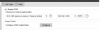
I configure 3cx:
1. Enabled CDR
2. Chose "3CX CDR service is Server/pasive socket"
3. Configured port 42224 on my PBX IP
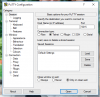
Then I test to open comunication with terminal program "putty" (I use this program to test SMDR outpust of standart PBX's (Panasonic, Ericsson, Philips and other)on serial or IP),but with 3CX nothing happen.
Can someone say me where is my mistake.
Thank You
I want to export call data like ordinary SMDR
I red manual and test it, but do not have success.
----------------------------
Enable CDR
To enable CDR, access the 3CX Management console. Go to “Settings > CDR”, choose “Generate CDR”. Select the desired output. When you output to a file, the file will be stored in the 3CX Logs folder and named cdr.log. Example location: “C:\ProgramData\3CX\Instance1\Data\Logs\CDRLogs”
Configuring CDR to output to a socket in passive mode requires you to configure a port which is free on the 3CX Phone System Server. In this mode, 3CX CDR Service will act as a Server and will expect a CDR Client to connect to the IP
ort configured. This implies that you must allow data traffic to pass from your firewall in TCP Mode.3CX CDR can send call data records to a CDR Central server. In this mode, 3CX CDR Service will act as a client and you need to provide the IP Address and TCP Port of the CDR Server that is handling your CDR Requirements.
-----------------------------------
I want to use socket in passive mode to receive call data in Hotel software. Its nessesary because there is hotel sotware which work with old PBX Panasonic and receive call data by serial port. The software has option to receive data by IP but I can't start comunication between 3CX and software
I configure 3cx:
1. Enabled CDR
2. Chose "3CX CDR service is Server/pasive socket"
3. Configured port 42224 on my PBX IP
Then I test to open comunication with terminal program "putty" (I use this program to test SMDR outpust of standart PBX's (Panasonic, Ericsson, Philips and other)on serial or IP),but with 3CX nothing happen.
Can someone say me where is my mistake.
Thank You