Extension with admin rights can no longer control Micr. 365 in v18

Status
Not open for further replies.

CloudAware

Bronze Partner
Advanced Certified
Joined
Feb 22, 2021
Messages
45
Reaction score
20
I think the title says it all: we have switched to v18. The person who controls Microsoft 365 is not the person who controls the PBX. So i don't want to give full control to this person (trunks etc).
But now in V18 an extension with admin rights no longer can administer the Settings->Microsoft 365 settings. I have cleared browser cache and we have a 24CC Enterprise license.
 
This is true. One of the reasons behind this though is because now the M365 options also enable the SSO login of the Global Admin.
This means that if a delegated admin had access to this menu, they could easily grant access to themselves to login as the actual admin.
 
  • Like
Reactions: Evolute IT
This is extremely inconvenient as you can imagine. Now i have to give my competitor (IT partner customer) full admin rights on the PBX we host and we still have to comply with our own SLA. You see the problem here.
Some people are very good at office IT, some people are very good at telephony. These groups do not necessarily intersect!
 
Last edited:
This is extremely inconvenient as you can imagine. Now i have to give my competitor (IT partner customer) full admin rights on the PBX we host and we still have to comply with our own SLA. You see the problem here.
Some people are very good at office IT, some people are very good at telephony. These groups do not necessarily intersect!
Here my thinking: have the customer sign a liability waver. If you need to give access to the system to someone from another company, you have them sign that and use the Audit Log to monitor. If they screw up, you bill full price for fixing it.

I hate dealing with multiple IT vendors in the same client -_-
 
Yeah... we are not going to solve a simple rights problem with legal contracts. Especially not since this worked as intended in V16. Why not block the "Admin user" part settings for "normal" users and let everything like everybody was used to?
 
Yeah... we are not going to solve a simple rights problem with legal contracts. Especially not since this worked as intended in V16. Why not block the "Admin user" part settings for "normal" users and let everything like everybody was used to?
You can give some rights to the users but they changed them in V18 to be more granular and clear.

To be fair, you should not give system access to those guys. Only management access for queues/users and such. If you host the system, they shouldn't have any settings access.
 
Granular as in: we completely removed it for everybody not being the global admin?
 
Granular as in: we completely removed it for everybody not being the global admin?
Yes exactly. It's a system settings, not a user settings. Nobody should touch that expect someone authorized and knowledgeable. Imagine an idiot reconfiguring the integration as he wants. You would lose access and the user would be very very mad.

To be honest, as a trainee partner and advanced certified, you probably should already know how the rights work.

Security is more important than complying to everything people ask for.
 
Excuse me? And who are you again? You seem very keen in telling me how to run the business. We had a function that was removed. That is creating a lot of issues for us now.

There is a good solution for this @Nick Galea for this: re-enable Microsoft 365 for "normal" admin users without the "Admin user" tab. That way admin users can add their own keys and certs for Microsoft 365 but they cannot create their own system admins. That seems like a good solution right?
 
Excuse me? And who are you again? You seem very keen in telling me how to run the business. We had a function that was removed. That is creating a lot of issues for us now.
Just a guy who's more experienced and know the system like the back of my hand. I'm not telling you how to run your business, I'm telling you how to NOT run a business. Kinda like what you do right here below.

There is a good solution for this @Nick Galea for this: re-enable Microsoft 365 for "normal" admin users without the "Admin user" tab. That way admin users can add their own keys and certs for Microsoft 365 but they cannot create their own system admins. That seems like a good solution right?
To be honest, a user shouldn't have access to this so I don't even know why it's such a problem.

Worst case, set them up a Hosting Mode enabled. You will have access to network, licenses and security. And they will have access to everything else using the admin account.
 
Hy,
any news on that topic?
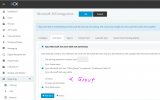
I also need admins with Microsoft 365 rights

OR
1652279509269.png
an option to sync users that are member of a Group (LDAP/AzureAD)
 
I think adding an option to sync users that are member of a Group (LDAP/AzureAD) is a good work around for this issue. Previously clients could manage the user list themselves, but since V18 that has now been taken away. Now, each time they would like to add/remove a member of staff, they need to raise a Service Request with us.

@Nick Galea Would be good to get your input on this and whether the above is a viable option.

Cheers
 
  • Like
Reactions: business59
Hi,

Any news on this?

Cheers
 
Hey Nick, any thoughts on Mr Proffitt's suggestion above please :)
I am still getting customers complaining to me about this every week.


"I think adding an option to sync users that are member of a Group (LDAP/AzureAD) is a good work around for this issue. Previously clients could manage the user list themselves, but since V18 that has now been taken away. Now, each time they would like to add/remove a member of staff, they need to raise a Service Request with us.

Would be good to get your input on this and whether the above is a viable option.
 
Status
Not open for further replies.

Members Online Now

Forum statistics

Threads
111,831
Messages
589,277
Members
164,660
Latest member
RJenkinsROCK