External access via 5001 not working

Status
Not open for further replies.

Entheo

New User
Joined
Sep 25, 2023
Messages
1
Reaction score
0
Hi, I'm trying to configure external access for my PBX in my network. Port 5001 is forwarded to the PBX.
This is run locally to access the PBX.
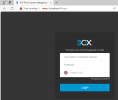
1696591012875.png

Locally I cannot access the PBX via 5001:
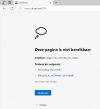
1696591066383.png

I can see incoming traffic on the firewall however it is going through.
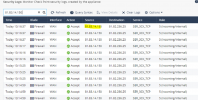
1696592334476.png

What can be the issue?
 
Your system is not using port 5001, it is using 443
 
  • Like
Reactions: Alphabetic
OK, how can I change this? Or how can I setup external access?
 
So I have to create a backup and reinstall with the backup, would that help?

https://fqdn.3cx.be:443 is sending me to another server (terminal server)

1696599365740.png
 
The backup would not work as it would have the same ports used in this install, I assume you are using Windows, do you have IIS enabled? if so what you are seeing is your own server default webpage. If you do have IIS ruining, disable it. One more thing, are you sure about your IP address, and or are there other servers on the same network that have IIS ruining?
 
The backup would not work as it would have the same ports used in this install, I assume you are using Windows, do you have IIS enabled? if so what you are seeing is your own server default webpage. If you do have IIS ruining, disable it. One more thing, are you sure about your IP address, and or are there other servers on the same network that have IIS ruining?
Ports are not fixed in the backup (they can be changed during restore if doing a new install).
So I have to create a backup and reinstall with the backup, would that help?

https://fqdn.3cx.be:443 is sending me to another server (terminal server)

View attachment 37655
You have another nat rule on your firewall sending 443 to another server (needs to be sent to 3CX)
 
Bit scary that you've got ports open on your router that you dont know of.. I would recommend you review all your firewall rules to prevent being breached.
 
Port 443 is for incoming RDP to the terminal server.
that is where I land now
 
Port 443 is for incoming RDP to the terminal server.
that is where I land now
Why would you use https port to RDP to a server lol are you using TS plus?
 
Port 443 is for incoming RDP to the terminal server.
that is where I land now
Really??? Close RDP as soon as you can! Who is managing your network?
 
  • Like
Reactions: Ritter Technologie
As stated by bitn2, RDP should never be exposed to the internet, and as stated by kieferschild really check your firewall. Also i would recommend to install the 3CX on a seperate linux VM or use hosting by 3cx. It seems there are too many services running on the machine
 
port 443 is forwarded to the terminal server. Not sure it's used for RDP. We use a remote gateway server.
The installation is on a windows VM.
Seems like a backup / restore is the only way to change the access via 5001?
 
port 443 is forwarded to the terminal server. Not sure it's used for RDP. We use a remote gateway server.
The installation is on a windows VM.
Seems like a backup / restore is the only way to change the access via 5001?
Yes, backup / restore is the only way, on the wizard you can chenge the ports
 
  • Like
Reactions: jed
Status
Not open for further replies.

Forum statistics

Threads
111,974
Messages
590,081
Members
164,899
Latest member
mazet