- Joined
- Sep 25, 2023
- Messages
- 1
- Reaction score
- 0
The only way to change is to do a fresh install.OK, how can I change this?
https://www.3cx.com/docs/manual/firewall-router-configuration/how can I setup external access?

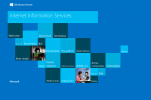
Ports are not fixed in the backup (they can be changed during restore if doing a new install).The backup would not work as it would have the same ports used in this install, I assume you are using Windows, do you have IIS enabled? if so what you are seeing is your own server default webpage. If you do have IIS ruining, disable it. One more thing, are you sure about your IP address, and or are there other servers on the same network that have IIS ruining?
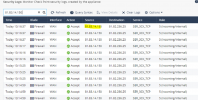
You have another nat rule on your firewall sending 443 to another server (needs to be sent to 3CX)So I have to create a backup and reinstall with the backup, would that help?
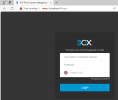
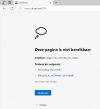
https://fqdn.3cx.be:443 is sending me to another server (terminal server)
View attachment 37655
Why would you use https port to RDP to a server lol are you using TS plus?Port 443 is for incoming RDP to the terminal server.
that is where I land now
Really??? Close RDP as soon as you can! Who is managing your network?Port 443 is for incoming RDP to the terminal server.
that is where I land now
Yes, backup / restore is the only way, on the wizard you can chenge the portsport 443 is forwarded to the terminal server. Not sure it's used for RDP. We use a remote gateway server.
The installation is on a windows VM.
Seems like a backup / restore is the only way to change the access via 5001?
Founded in 2005, when VoIP was an emerging technology, 3CX has gone on to establish itself as a global leader in business communications.