Fanvil iw30 PA Speaker for 3CX

Status
Not open for further replies.

dslusser

Customer
Joined
Mar 15, 2019
Messages
16
Reaction score
2
Hello,

We have a recent local deployment of 3CX with roughly 25 Fanvil X5s phones. Everything is working great. Its my first deployment with 3CX, and I spent about 6 months getting ready for the deployment. Loving 3CX so far!

Anyway, I purchased a Fanvil iw30 PA speaker to hang out in our shop. Dummy me, forgot to check that it was compatible with 3CX first. I guess I assumed since it Fanvil, and its a recently new product, it would be compatible. Well, i can't find any 3CX firmware to flash the speaker.

Am I S.O.L. until 3CX creates firmware for it?
 
Depends on how the device works and how you intend to use the PA speaker. I purchased the incorrect door phone when I thought the i12 was on the supported list but I turned out to be i21. I was still able to manually provision it and it works. I quickly looked and didn't see anything about multicast so if it doesn't have it you will need to set it up as a regular extension. Add that extension to your paging group and the speaker should "auto answer" the call and broadcast. As different extensions it would also give you the ability to have a page zone for every speaker. It will not be supported by 3CX but may still work. 3CX provides a supported firmware version in the software but I don't believe they are altering manufacturer firmware specifically for 3CX.
 
Ya, we have one of the X5s phones mounted in the shop for guys to call up to engineering. But when they have they are playing music out there, they can't here the "page" through the X5s speaker. So we ran another network drop out to the shop to hook up the iw30 to be part of the paging group.

Ive never manually provisioned a phone before to work with 3CX. I'll poke around here now.
 
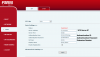
You should be able to manually configure the device via the device webfront end.

Create an extension with 3CX Console,

Page 19 of manual

Sip Proxy is 3CX IP address
Phone number is extension number
Display name - extension number
Authenication name - 3CX authentication ID
Authenication Password - 3CX authentication password
 
I assume it will be similar to my door phone. Setup everything in 3CX first then go to the device web page and look for something similar. You should find a SIP registration page somewhere.

Make sure the device is within the same IP subnet or can reach the 3CX server. If you can get the device to say registered (may need a restart after settings are applied) it should work.
 

Attachments

  • fanvil i12.PNG
    fanvil i12.PNG
    42.2 KB · Views: 17
Yup. I poked around enough to copy the Line config from my desk phone into the PA speaker. Setting up its own extension, using the Name/PW of the phone auth for the new extension.

Thanks for the help. It works wonderfully!!!
 
Hello,

We are planning on supporting the iW30 in a future release (after V16 is released)
 
Status
Not open for further replies.

Forum statistics

Threads
111,916
Messages
589,722
Members
164,786
Latest member
supuni_rathnayake