Fanvil Phones not Dailing out

Status
Not open for further replies.

LouwrensE

Free User
Joined
Feb 13, 2019
Messages
12
Reaction score
1
So yesterday our Windows SBC decided that it's going to stop working. After checking the config file I realized that some of the details in the config file got lost.
I sorted that out, now this morning NONE of the Fanvil phones wants to dial out. They can receive calls but it says rejected if you want to phone extensions or outside lines.
All our Snom phones work without any problems. What can i look at to sort out this problem?
 
I suspect that it has something to do with the provisioning. But all the phones are set up manually.
 
are they able to receive call?
 
are they able to receive call?
Yes they are, both internal and external calls. But I get a rejected message when i try and call out.
 
Yes they are, both internal and external calls. But I get a rejected message when i try and call out.
it doesn't make sense so i will try to reboot the sbc and see if the problem it is still there. Probably if you trace an outside call you'll understand bettere what is going on.
 
I already rebooted the SBC.
How would i trace an outside call?
 
So this is what i get when I trace the call.9558
 
who is 192.0.0.187? Who is 10.0.1.1? I could guess it but i prefer you tell me who they are.
 
187 is the Fanvil phone and 10.0.1.1 is the SBC
 
and why the sbc is in a different net of the fanvil. They should be in the same broadcast domain. More i suggest to follow this wiki when you choose private ip address inside the private net of your customer:

https://en.wikipedia.org/wiki/Private_network

click on the fanvil extension that are rejected an tell me if it is checked or not this option:
"Disallow use of extension outside the LAN (Remote extensions using Direct SIP or STUN will be blocked)"
 

Attachments

  • Screenshot 2019-02-13 at 11.35.02.png
    Screenshot 2019-02-13 at 11.35.02.png
    52.5 KB · Views: 15
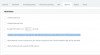
Okay, here the fanvil is on the same domain. Still does the same, also the "Disallow use of extension..." is checked on all extensions.
 

Attachments

  • SIP Error.PNG
    SIP Error.PNG
    4.9 KB · Views: 16
ok. I know that is not related but just to try if you uncheck it what happen?
 
It still does the same. "Rejected" when I try to phone out.
 
you should go to the dashboard of the pbx and than click on "activity log" enable capture try to call and than attach the capture file here.
 
I suspect that it has something to do with the provisioning. But all the phones are set up manually.
Try provisioning a phone instead of manually configuring them and try again.

you should go to the dashboard of the pbx and than click on "activity log" enable capture try to call and than attach the capture file here.
Please do not post wireshark captures in public forums as they contain a lot of sensitive information.
You could send the capture to @nitrox in a private message if he is willing to have a look.
 
  • Like
Reactions: nitrox
Try provisioning a phone instead of manually configuring them and try again.


Please do not post wireshark captures in public forums as they contain a lot of sensitive information.
You could send the capture to @nitrox in a private message if he is willing to have a look.
I haven't gotten the hang of provisioning, that's why the manual configuration.
But that is beside the point, the phones worked perfectly the day before yesterday.
 
As suggested...check the 3CX Activity Log. If the call is making it through the SBC, to the PBX, then any rejection is being done there. The logs may give more information as to why it is happening.
 
Status
Not open for further replies.

Forum statistics

Threads
111,914
Messages
589,709
Members
164,783
Latest member
GothamUser