Fanvil X3U

Status
Not open for further replies.

BCTech

Forum User
Joined
Sep 15, 2020
Messages
16
Reaction score
0
Hello,
Having a problem with the Fanvil X3u where there is no audio at all. When this problem occurs the phone will not function correctly until it is rebooted

Has anyone come across this before?

Thanks
 
  • 3CX Version, 16.0.6.641
  • Server OS,Windows Server 2019 Datacenter
  • Is the 3CX Server Hosted and where? hosted onsite VMWare Vsphere 7
  • IP Phone Make/Model/Firmware - Fanvil X3U Firmware 1.2.1 but also occurs on 2.0.1 09/05/2020
  • Provisioning Method: Local on VLAN 2
  • Trunk Provider or Gateway Make/Model - Gradwell Trunk. Smoothwall Firewall
  • Has the Firewall Checker passed: YES
  • Are custom Phone Templates being used: NO
 
Also some more info from a trace

• The audio between the Voip Provider and the PBX has no issues

• The audio from the voip provider is received and forwarded to the IP phone

• Although the reverse RTP stream is not received from the IP phone

• The IP phone replies with Destination unreachable (port unreachable) to the RTP packet from the PBX

• The IP phone also sends random RTP packets with Payload type: USA Federal Standard FS-1016 (1)

screenshot_214.png
 

Attachments

  • thumbnail_screenshot_213.png
    thumbnail_screenshot_213.png
    149.6 KB · Views: 2
Are you able to capture this scenario and check the RTP streams?

Are you able to put your fanvil on the same VLAN as your 3CX and test?

id also perform some echo tests by dialling *777
 
Are you able to capture this scenario and check the RTP streams?

Are you able to put your fanvil on the same VLAN as your 3CX and test?

I have a trace which is just posted the result and both the 3cx server and phones are on the same VLAN. I did wonder if the phone wasnt tagging the packet correctly
 
You would want to see the invite going to the phone -> What contact IP and port is the phone given by the PBX?

You would also want to run a capture on the phone itself -> Where is it sending audio packets (if any) ?

This is to check that the phone is not indeed misbehaving, and perhaps it was working correctly but was given wrong IPs and ports to send the audio to.
 
Will do have sent the PBX captures as requested. Once I get a non working phone I will run the capture on the phone. From memory the one this morning had the correct PBX IP
 
Ok I checked the captures, but they don't show anything. There's also a lot of other traffic there which makes it a bit difficult unless we know the problematic call Generated Call ID.

Regardless, the ones in there did not appear to have issues, so yes I would agree also that you should wait for one Fanvil X3U to start experiencing the issue, then start a capture on it and send it a new call so we can see what the Fanvil is being told to do, and what it ends up actually doing.

PS: Please revert them all to the supported firmware version before doing anything else, because we will need to replicate the issue on that version specifically.
 
No problem we will do that. Can you confirm if there is a facility in the phone to run the capture or do we need to do it the old fashioned way with a laptop and port mirroring on the switch?
 
yep, you can do it via the phone's UI under Tools > Web Capture

Press start and a pop up window should appear with a capture running.

Press stop once you end the call
1600861324219.png
 
This is a PCAP from the receiving phone the call was silent at both ends
 

Attachments

Another PCAP file from another phone with issues today direct from the phone
 

Attachments

try reset phone to default and reprovision the phone
something else try the phone with another pbx or directly without pbx
 
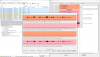
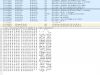
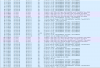
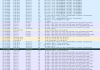
This is from the phone. It looks like the audio isnt attempted outbound? Sorry I'm new to Wireshark but can see no packets outbound for RTP and no failure apart from the initial package not supported and the ICMP packet. 10.20.24.2 is the 3cx server. Both devices should be on VLAN 2. PBX delivers audio is not enabled. Call was internal to internal

1601205921625.png

1601205962409.png
1601206021254.png
1601206086147.png
 
I misinterpreted the phone isnt receiving an RTP stream from the server. We will do a capture from the server and phone next time. Is it normal for audio to go via the the PBX when that option isnt enabled(PBX delivers audio)?
 
Yes it's normal:

- if you have recordings enabled
- if you make external calls
- if you ring internal extensions that rely on the tunnel
- if you use services like conference/voicemail
 
Status
Not open for further replies.

Latest Posts

Forum statistics

Threads
111,964
Messages
590,000
Members
164,869
Latest member
hpgitsupport