Solved Fanvil X4 Template - Function Keys

Status
Not open for further replies.

Mark Drabble

Customer
Joined
Nov 13, 2017
Messages
27
Reaction score
6
I've made a custom template to change various settings on our phones and had no issues.

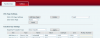
I can add speed dials to the template without issue, but on the phoneUI there is an option for Subtype (See image)

How do I add Subtype on a custom template as I can only see Type, Value and Title.

Cheers
 

Attachments

  • BLFKeys.png
    BLFKeys.png
    16.4 KB · Views: 43
Managed to sort it.

{IF ua=Fanvil X4,Fanvil X5,Fanvil X5S}
<Type>1</Type>
<Value>666@1/m</Value>
<Title>VoiceMail</Title>

This now shows the voicemail icon next to the Label
 
fyi, a while back during implementation i was trying to figure out how to change the default sip line buttons on the x4 to SP numbers for shared parking locations so that users could park calls on handsets without having to use dial codes. wound up making a custom template and through trial and error, some help from the admin manual, and making changes in 3cx blf fields and seeing the code behind the results, this is what i figured out. just repeat multiple times with different SP numbers

{IF ua=Fanvil X4,Fanvil X5,Fanvil X5S}
<Type>1</Type>
<Value>SP0@1/cSP0</Value>
<Title>SP 0</Title>

comparing this to your xml, i guess the 1/m is what decides the icon? the icon next to my SP values is a person.

anyway, templates are a bit cryptic but you figured it out, good work.
 
Glad to see the issue has been resolved and thank you for sharing your solution
 
Status
Not open for further replies.

Latest Posts

Forum statistics

Threads
111,885
Messages
589,545
Members
164,744
Latest member
johnblackwood1