File not found - Dial by name

RO_

Silver Partner
Basic Certified
Joined
May 15, 2025
Messages
10
Reaction score
3
Hi, I configured the Digital Receptionist to use the "Call by Name" feature, but when I tested it, I received a "file not found" error. I checked the forums and saw that updating the system prompts might resolve the issue, but I don’t see an option to do that on my end. The Self ID is already set for the users. For reference, I’m using Version 20.0.
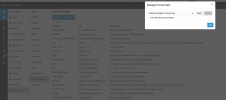
1751045886706.png
 
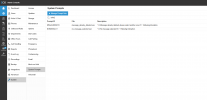
Can you please search for a prompt called 'SELECT_CALL_BY' and let us know if it's there?

If not, kindly open a support ticket for us to advise further.
 
  • Like
Reactions: Evolute IT
Can you please search for a prompt called 'SELECT_CALL_BY' and let us know if it's there?

If not, kindly open a support ticket for us to advise further.
I dont see it here: 1751046688261.png
 
Unfortunately, the option for me to create a support ticket is unavailable. Is there any way I can fix this?
 
Hello RO_,

Try to delete the laguage file, and re-install:

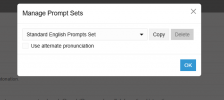
Admin - System - System Prompts - Manage Prompts Sets
Delete the Language you are using

Admin - System - Updates
Klik on the Language to download again

Now the language file is loaded fresh, please try again.

Paulo
 
I attempted to change the system prompt to a different language and saved it. I opened the system prompt again but the option to delete the standard prompt isn't available
1751418460655.png

I also don't see an update available for us
 
I attempted to change the system prompt to a different language and saved it. I opened the system prompt again but the option to delete the standard prompt isn't available
View attachment 48457

I also don't see an update available for us
Are you loged in as system owner?
 
Unfortunately, the option for me to create a support ticket is unavailable. Is there any way I can fix this?
As a Silver Partner, you should be able to open a support ticket from your Partner Portal. Can you please check