Firewall changes after move to cloud

Status
Not open for further replies.

Andy Dame

Customer
Basic Certified
Joined
Apr 6, 2017
Messages
18
Reaction score
2
my client has 2 sites, they had 2 premise based 3cx systems, with a sonic wall VPN betwen them to allow transfer and other features. They had call quality issues, we moved to the cloud without issue from a function standpoint. However there are still call quality issues and dropped calls. upgrade to a sonicwall TZ400 firewall at both sites. we coppied the setting from the sonicwall SOHO that was in place.
Question: Should the firewall setting that we did with the intial setup IAW the help sheets from 3CX be changed now that this is a cloud service? There seems to be a lot of items being blacklisted in the activity log.
 
I would stick an SBC at both sites and rule out the firewall altogether. You'll only need to make sure 5090 is allowed out to the PBX
 
Hi Andy,

Now that the PBX is in the cloud, what phone provisioning method are you using?
 
Direct SIP(Stun-remote).
 
The cloud PBX should be configured as her https://www.3cx.com/docs/ports/
Provided of course you kept the default ports during setup, otherwise adjust accordingly.

The firewall checker must also pass in all tests, this is important for correct communication with remote phones.

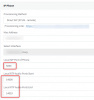
1. The STUN phones extension options need to have the permission to register remotely
(Untick this -> Disallow use of extension outside the LAN (Remote extensions using Direct SIP or STUN will be blocked)

You will have to make sure a few things are set correctly at the client's sideL

2. Each phone must have unique SIP ports, and unique RTP range (must not overlap with others)

1593442889940.png

3. On the firewall ensure that the above ports are forwarded individually for each phone (and assign the phones statically on your DHCP)

4. Also on the firewall you must ensure any SIP ALG / SIP Helper services are disabled because they can mess with natting and SIP signalling.


You should also consider installing an SBC at the site if you wish to avoid all of the above config in steps and also have encrypted communications
https://www.3cx.com/docs/3cx-tunnel-session-border-controller/
 
Thank you for the help, but is it realy nescarry to assign all the phone to thier own ports and static IP? I have 5 systems in cloud and there are 2 acting this way and 3 are normal. the difference is the 2 sites that are having random call issues are multiple physcial sites. Will i need to re provision the phones after making the changes?
 
Hi Andy,

This is our recommendation when using STUN, because it reduces factors that may cause issues.
Remember, each site is different and the firewall is handling all the port translation automatically now, so it's not under your strict control and it will try it's best but may not always have good results.
Since you are facing problems on these sites, it would be best to reduce the factors I mentioned.
The phones will need to be reprovisioned, but that can be done easily from your management console.

On the other hand, if you choose to install an SBC (which is fairly easy to deploy) then it is no longer necessary to assign ports on phones, or static IPs or change firewall settings. The SBC will tunnel all the traffic for you and can often help in these situations.

Let me know how you choose to proceed, and I can offer further assistance if needed?
 
Status
Not open for further replies.

Latest Posts

Forum statistics

Threads
111,953
Messages
589,915
Members
164,851
Latest member
DrunkeMeister