Firewall Check Failed (SonicWall)

Status
Not open for further replies.

Mizzi

Free User
Joined
Oct 26, 2018
Messages
33
Reaction score
1
Hi, I have already used this https://www.3cx.com/docs/sonicwall-firewall-configuration/ tutorial to
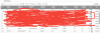
Configuring a SonicWALL Firewall with 3CX but I still get a fail message as you see on the screenshot.

I am using 3CX 15.5 on a windows 10 pro updated.
also Using a Sonicwall TZ300

I went throw the the configuring instructions but all I get is on the attached screenshot


Please let me know of what to do.


BR
 

Attachments

  • firewall.png
    firewall.png
    31.8 KB · Views: 42
You missed the check box for disable source port remap. 3CX works great with that router. Post your settings screens if you like.
 
  • Like
Reactions: Mizzi
Nope I think it's not it, it's already checked as instructed.

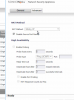
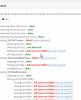
Attached screenshot of the settings
 

Attachments

  • 20190209_231408.png
    20190209_231408.png
    135.6 KB · Views: 49
  • 20190209_224438.png
    20190209_224438.png
    143.3 KB · Views: 56
PS: internal man calls works fine, but not receiving calls from fxo gateway nor can make calls from WAN offsite networks.
 
Another PS:
The "disable remapping option" on the inbound connection ofc is grayed out.


Regards
 
In the tread I posted, there was a question of the firmware version in the firewall. Is your device up-to-date?
 
  • Like
Reactions: Mizzi
Source port map is only needed for outbound. Make sure you selected the proper wan port for outbound.
 
  • Like
Reactions: Mizzi
In the tread I posted, there was a question of the firmware version in the firewall. Is your device up-to-date?
Will have to make sure when I am at office, atm I am on my pc remotely
 
Source port map is only needed for outbound. Make sure you selected the proper wan port for outbound.

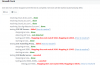
Well, well.. I have changed the wan port for inbound and outbound from x0 to x1, and I got a new error message!!!

"Full cone test failed" ??

Any ideas??

Attached screenshot
9522
 
If the firmware has the option "disable source port remap" then it should work with 3cx. That is what was updated in the firmware to make it work with 3cx. this is a configuration issue not a firmware version issue.
 
Ok, these information might be helpful.

- internet modem connected directly to the firewall.

- Default gateway is the firewall.

- DHCP Pool is coming from the active directory server.

- Agents are on dhcp from AD server.

- 3cx is on static local ip and static public ip.

I only configured the firewall and followed the instructions instructions.

PS: Would the firewall licance make any deference? Cuz we didn't pay yet.


Regards
 
Any one got another idea?
 
If there i a paid licence involved, then that may have something to do with options being greyed out.
 
The option "disable source port remap", in inbound connection is grayed out. Is it actually supposed to be grayed out or something is wrong?


Cuz the same option in outbound is not grayed and I checked it.


Regards
 
Guys is there at least a way to make it work locally? We need it asap, the company call center department is waiting for me to make it work .


PS: to make it work locally I only need to focus on port 5060 right??

Please help!!
 
To make it work locally you need zero firewall ports.
 
  • Like
Reactions: Mizzi
How come it would always fail while I have opened the ports from Windows firewall?

PS: should I add the windows to the domain?

Regards
 
Put in mind that firewall is the default gateway and the domain controller is the DHCP server (pbx and fxo have static ip)
 
Again.. zero firewall ports assuming you followed 3CX standards. If PBX/phones/gateway are all on the local subnet (how they get their IP informaton is irrelevant) then you don't need to open any firewall ports in the Sonicwall. If you have a 3rd party firewall product on the machine (which is against 3CX recommendations) then you would need to open ports. And if you did something silly like reset Windows firewall after the 3CX installation then you would need to open ports. Otherwise 3CX opened the firewall ports for you.
 
Status
Not open for further replies.

Forum statistics

Threads
111,914
Messages
589,709
Members
164,783
Latest member
GothamUser