First setup troubles

Status
Not open for further replies.

bp529

Joined
Sep 20, 2017
Messages
4
Reaction score
0
I am setting up my first test deployment of 3CX. I am knowledgeable in IT and networking, but I cannot get a single thing to work. This is a simple setup with local extensions and no external SIP provider.

Installed 3CX for Windows version 15.5.3849.1.
Configured Firewall
Created 3 extensions for Soft Phone use
Downloaded the latest Soft Phone Clients

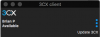
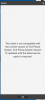
I cannot get a single soft phone to register on the LAN. The clients all say that I am not on the latest version, but there are no upgrades left to do.
 
Do you send the welcome email, which contains the config for the 3cx client and the link to the latest client
 
Do you send the welcome email, which contains the config for the 3cx client and the link to the latest client

Yes. Downloaded from the Welcome Message links. When I load the configuration file attached to the email. It configures and gives me the incompatible version message. This is on iOS, Mac OS and Windows Clients.
 
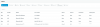
The server sees the incoming connection from the clients. See attached photos.
 

Attachments

  • Screen Shot 2017-09-20 at 12.57.51 PM.png
    Screen Shot 2017-09-20 at 12.57.51 PM.png
    50.1 KB · Views: 4
  • Screen Shot 2017-09-20 at 12.57.35 PM.png
    Screen Shot 2017-09-20 at 12.57.35 PM.png
    11.1 KB · Views: 3
  • Screen Shot 2017-09-20 at 12.57.05 PM.png
    Screen Shot 2017-09-20 at 12.57.05 PM.png
    31.3 KB · Views: 3
Within the console, click on the update icon in the middle of the screen on the right and do any updates
 
Figured it out. Had another service utilizing port 5060. Shut it down and everything connected.
 
Status
Not open for further replies.

Forum statistics

Threads
111,875
Messages
589,512
Members
164,724
Latest member
StratisFear