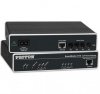
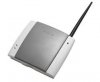
Solved FIXED WIRELESS TERMINAL WITH PATTON & 3CX

Status
Not open for further replies.

Syed hamza Faiz

Free User
Joined
Feb 17, 2020
Messages
29
Reaction score
2
Hey everyone !

i have my 3cx and i attached 1 PSTN line with Patton Analog , it working fine i can make inbound and outbound calls . i also attached G35 Fixed wireless terminal(GSM sim) with patton

and i am able to receive call on my SIM which is diverted to my extension but i am not able to make outbound .

connectivity is like this
3cX ---> PAtton Analog ----> 1port of patton to PSTN
---- 2 port of my patton to G35


Thanks
Regards
Hamza
 
I don't know about Patton, but surely you need to create a specific rule on 3cx side to forward outgoing calls to your SIM ports for mobile numbers only.
I guess that's what you try to do?
 
I don't know about Patton, but surely you need to create a specific rule on 3cx side to forward outgoing calls to your SIM ports for mobile numbers only.
I guess that's what you try to do?


i am just simply adding Patton gateway for any outbound call
 
G35 has RJ11 port only , i have connected it with PATTON and other i have a PSTN line
 
OK so I doubt this is a Patton issue really if you have setup as per : https://www.3cx.com/voip-gateways/patton-smartnode-sn4112/ but more of a compatibility with the device you have plugged in.

If the above guide is followed (and both 3CX and Patton are setup correctly) then the gateway will simply pass on whatever is sent out of the port of the device.

Although not specifically mentioned there are certain scenarios which should be avoided with any gateways with 3CX (PDQ machines for example) this may fall under such a scenario.

At the very least I can troubleshoot the Patton device for you and tell you if it doing its job. Login to the CLI of the gateway and run the following commands:

enable
configure
debug ccfxo
debug fxo
debug call-control
debug call-router
debug context sip-gateway transport
debug context sip-gateway error


Replicate the issue and save the output to notepad ++

Enter in the command line no debug all to stop the trace and send over the logging.
 
It's probably a matter of setting up your Patton to send calls out through the port where the G35 is attached.

The G35 acts as a PSTN line as far as the Patton (or any gateway really) is concerned so it should not be a problem unless there is an electrical incompatibility or tone incompatibility generally speaking. You should debug as @eddv123 suggests to find out why.

Since Port 1 to PSTN works for both incoming/outgoing I assume, you can attach the G35 there to see if it starts working too. If its ok on Port 1 then you probably misconfigured the Patton
 
OK so I doubt this is a Patton issue really if you have setup as per : https://www.3cx.com/voip-gateways/patton-smartnode-sn4112/ but more of a compatibility with the device you have plugged in.

If the above guide is followed (and both 3CX and Patton are setup correctly) then the gateway will simply pass on whatever is sent out of the port of the device.

Although not specifically mentioned there are certain scenarios which should be avoided with any gateways with 3CX (PDQ machines for example) this may fall under such a scenario.

At the very least I can troubleshoot the Patton device for you and tell you if it doing its job. Login to the CLI of the gateway and run the following commands:

enable
configure
debug ccfxo
debug fxo
debug call-control
debug call-router
debug context sip-gateway transport
debug context sip-gateway error


Replicate the issue and save the output to notepad ++

Enter in the command line no debug all to stop the trace and send over the logging.


Yes My patton is working fine with PSTN (incoming/outgoing) .

actually this G35 has a Sim and i just attached a simple telephone with it through rj11 , i am able to dial or receive call with my g35 on telephone .


then i connected it with Patton , i think for patton its just a analog line .

well after attaching it with patton (1 PSTN line + 1 line from G35) , when i call to my sim , patton receives and divert it to my 3cx and extensions (all Good) , but when i dial number from my extension to outside mobile Patton it goes well with PSTN but not with G35 .


i will revert back to you after debugging Logs .
 
It's probably a matter of setting up your Patton to send calls out through the port where the G35 is attached.

The G35 acts as a PSTN line as far as the Patton (or any gateway really) is concerned so it should not be a problem unless there is an electrical incompatibility or tone incompatibility generally speaking. You should debug as @eddv123 suggests to find out why.

Since Port 1 to PSTN works for both incoming/outgoing I assume, you can attach the G35 there to see if it starts working too. If its ok on Port 1 then you probably misconfigured the Patton


i just uploaded the configuration which is downloaded from 3cx (nothing else i configured on PATTON) ,

Now i have disconnected that PSTN and i have only G35 after Patton , now i am gona debug for outbound issue
 
Yes My patton is working fine with PSTN (incoming/outgoing) .

As @JohnS_3CX has stated this may in fact (and this is what I am looking for out of the debugging) be that you simply need to break the FXO lines and forward calls appropriately out the correct line.

This is not actually supported by 3CX, however to pre-empt (I will still see the logging please) I have written a guide on how to achieve this since it is quite a common request.
 

Attachments

Yes it helped , there was dial time issue my G35 is taking some more seconds to make a call mean while Ptton was droping , i have just increase the time and also there was line polarity issue .

it worked !!!

now i can make calls from my extensions with the help of GSM sim as well .
 
  • Like
Reactions: JohnS_3CX
Glad to heat it was resolved
 
Status
Not open for further replies.

Latest Posts

Forum statistics

Threads
111,939
Messages
589,843
Members
164,824
Latest member
Xeniosg