Solved Flowroute 403 Blacklist Error

Status
Not open for further replies.

ThatChap

Free User
Joined
Dec 1, 2022
Messages
8
Reaction score
0
I'm in the process of setting up a 3CX hosted test system for our future phone system using Flowroute. I believe I have what I need configured, except for outbound calls.

Anytime I make an outbound test call from the PBX to my US Verizon mobile phone, I get the following error email:
Call or Registration to [my 11-digit US mobile number]@(Ln.10000@Flowroute) failed.
[IP Address] replied: 403 Destination Blacklist - [email protected]; from IP:[IP Address+Port]

Within the 3CX console, under SecurityAllowed Country Codes, I only have US (1) and Canada (1) selected.
Within the Flowroute console, under PreferencesFraud Control, I have Outbound SIP Credentials and Strict Whitelist Enabled with US and Canada again the only items whitelisted.

I have tried disabling the Strict Whitelist and the error goes to: 484 Address Incomplete...

According to Flowroute Support via email:
"I traced your call log and see invalid format for your outbound ANI. Flowroute uses the e.164 format, which starts requiring 11 digits for domestic numbers. The use of any invalid, inaccurate, or incorrectly formatted US billing number ANI may prevent outbound calls from connecting to their intended destination. This is why Flowroute server responds back with 484 Address Incomplete."

... But I am using the e.164 format, I guess, just not in a specific spot? I combed through my 3CX console and couldn't find any non-e.164 formatted number.

I am currently looking up Outbound ANI, but I'm not sure where that is managed in 3CX.
 
It seems to me, to indicate that your caller ID is not being sent in the correct format. (ANI is a PSTN term from long ago, Automatic Number Identification, used when non-electronic exchanges alone were not capable of identifying a caller, for long distance billing purposes, and additional equipment was required.)

To confirm that this is indeed the issue, I would first put an 11 digit call ID (main number) in the outbound rule as that will over-ride any other caller ID being sent. If that works, then you need to work on the DID numbers associated with each extension, then remove the caller ID in the outbound rule, and try again.
 
  • Like
Reactions: ThatChap
This is what I had set up as my outbound rule:

outbound.png

In the prepend field, I have 1 + Local Area Code
In the Outbound Caller ID, I have 1 + Testing Phone Number (Registered with Flowroute)

(The filler numbers I have in both fields are indicating how I am inputting the real info)
 
Remove the strip and prepend fields - you are forcing the caller ID already - and see if it works.
 
  • Like
Reactions: ThatChap
Nothing, I just get a Call Failed: Not Found on my handset. Strangely enough, I'm not getting any emails from 3CX stating my Trunk/Provider responds to request with an error...
 
Ok...

So I Strip 1 digit and remove both the prepend and outbound caller ID, and now I can make outbound calls, great!

But now I cannot get inbound calls... so I've now swapped problems
 
Check your activity log to see what's happening.

Also make sure your DIDs are in +12223334444 format in the SIP trunk page
 
  • Like
Reactions: ThatChap
Check the 3CX Activity Log to see what happens on an incoming call.
 
  • Like
Reactions: ThatChap
Nothing is showing up regarding an incoming call, only my outbound calls have logged actions. So my mobile phone isn't even hitting the PBX?
 
Are you doing SIP registration or IP routing from Flowroute to the PBX?
 
  • Like
Reactions: ThatChap
At first, I was doing IP routing cause Flowroute recommended that for fraud control, but I switched over to SIP Registration cause the few 3CX articles I was reading said to do that instead. With SIP Registration enabled, I was able to make inbound calls initially (before all this).
 
The changes you made in the outbound rules should not have affected incoming calls. If you don't see any indication (Verbose logging level) of an incoming call from your provider then I have to assume that ye are not sending one, for some reason. Either you are not registered correctly (does the trunk show as registered?), they are sending the call to the wrong IP (and/or port), or something is blocking..
 
  • Like
Reactions: ThatChap
Here's what my SIP Trunk page looks like (all seems good to my knowledge):

firefox_S5kULZrQso.png

For the Activity Logs, I did go back and find the Verbose level logging option and within all the Device Updating logs I did see one log that involved my inbound call:

12/01/2022 3:38:02 PM - [CM500002]: Unidentified incoming call. Review INVITE and adjust source identification:
Invite-UNK Recv Req INVITE from [REDACTED] tid=[REDACTED] Call-ID=[REDACTED]:
INVITE sip:[REDACTED] SIP/2.0
Via: SIP/2.0/UDP [REDACTED]
Max-Forwards: 66
Record-Route: <sip:[REDACTED];lr>
Contact: <sip:[REDACTED]>
To: <sip:[REDACTED]>
From: "[REDACTED]" <sip:[REDACTED]>;tag=[REDACTED]
Call-ID: [REDACTED]
CSeq: 145429 INVITE
Content-Type: application/sdp
P-Asserted-Identity: "[REDACTED]" <sip:[REDACTED];verstat=[email protected]>
P-Attestation-Indicator: A
Content-Length: 222

v=0
o=- 640420 116707 IN IP4 [REDACTED]
s=-
c=IN IP4 [REDACTED]
t=0 0
m=audio 55488 RTP/AVP 0 8 18 101
a=rtpmap:18 G729/8000
a=fmtp:18 annexb=no
a=rtpmap:101 telephone-event/8000
a=fmtp:101 0-15
a=maxptime:20
 
Unidentified incoming call. Review INVITE and adjust source identification
is the key.

You redacted everything of value, but look at what's being sent and adjust your SIP trunk to handle.
 
  • Like
Reactions: ThatChap
Hi @ThatChap

Please make sure that you are using the default Flowroute template and you haven't changed any of the options. If you are not sure then delete and recreate the trunk from scratch.
Make sure that you added your DIDs in the +1XXXXXXXXXX format so inbound calls will work.

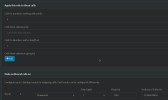
Regarding outbound calls, your first screenshot suggests that you are blacklisted by Flowroute so I would talk to them as well.
Also start simple with your outbound rules and work from there.

As a start add an outbound rule with just your extension number as the limitation. No strip, no prepend, no caller ID.
Then just dial the number normally as you would from your mobile phone. Does that work?
 
  • Like
Reactions: ThatChap
Make sure that you added your DIDs in the +1XXXXXXXXXX format so inbound calls will work...

When I switched from IP Routing to SIP Registration I did wipe the trunk config and started from scratch and there in lied the mistake... I read somewhere that I didn't need to add the "+" to the main trunk number when re-setting up. I popped the "+" and bam, inbound and outbound calls work now!


Thank you so much for all of you who helped! I'm so excited to get this up and running!


...I have a feeling you might hear from me again in the future :)
 
Glad we could assist.
 
Status
Not open for further replies.

Latest Posts

Members Online Now

Forum statistics

Threads
111,831
Messages
589,276
Members
164,660
Latest member
RJenkinsROCK