- Joined
- Feb 23, 2019
- Messages
- 174
- Reaction score
- 16
Hello,
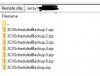
I'm trying to backup our Debian 3CX servers hosted on Microsoft Azure via FTP to Wasabi storage. I can't get 3CX to communicate to s3.wasabisys.com with our user name and password. I'm able to login via FileZilla via FTP with no problems, so I know the access works.
This is the error I get on 3CX : Backup location configuration error. Please proceed and verify the configuration.
I have open ports 21 on the NSG and still have the same issues.
I'm able to connect via command line on the 3CX server using FTP to the FTP server with no problems.
I'm trying to backup our Debian 3CX servers hosted on Microsoft Azure via FTP to Wasabi storage. I can't get 3CX to communicate to s3.wasabisys.com with our user name and password. I'm able to login via FileZilla via FTP with no problems, so I know the access works.
This is the error I get on 3CX : Backup location configuration error. Please proceed and verify the configuration.
I have open ports 21 on the NSG and still have the same issues.
I'm able to connect via command line on the 3CX server using FTP to the FTP server with no problems.
Last edited: